Integrations and automations for systems with HTTP APIs
Deterministic execution. Probabilistic building.
Only the logic is code.
One place where the logic between your systems lives, runs and can be read. Every call is configured once and recorded as it runs; the code that remains is the business logic, in plain JS — written by your team or by an agent.
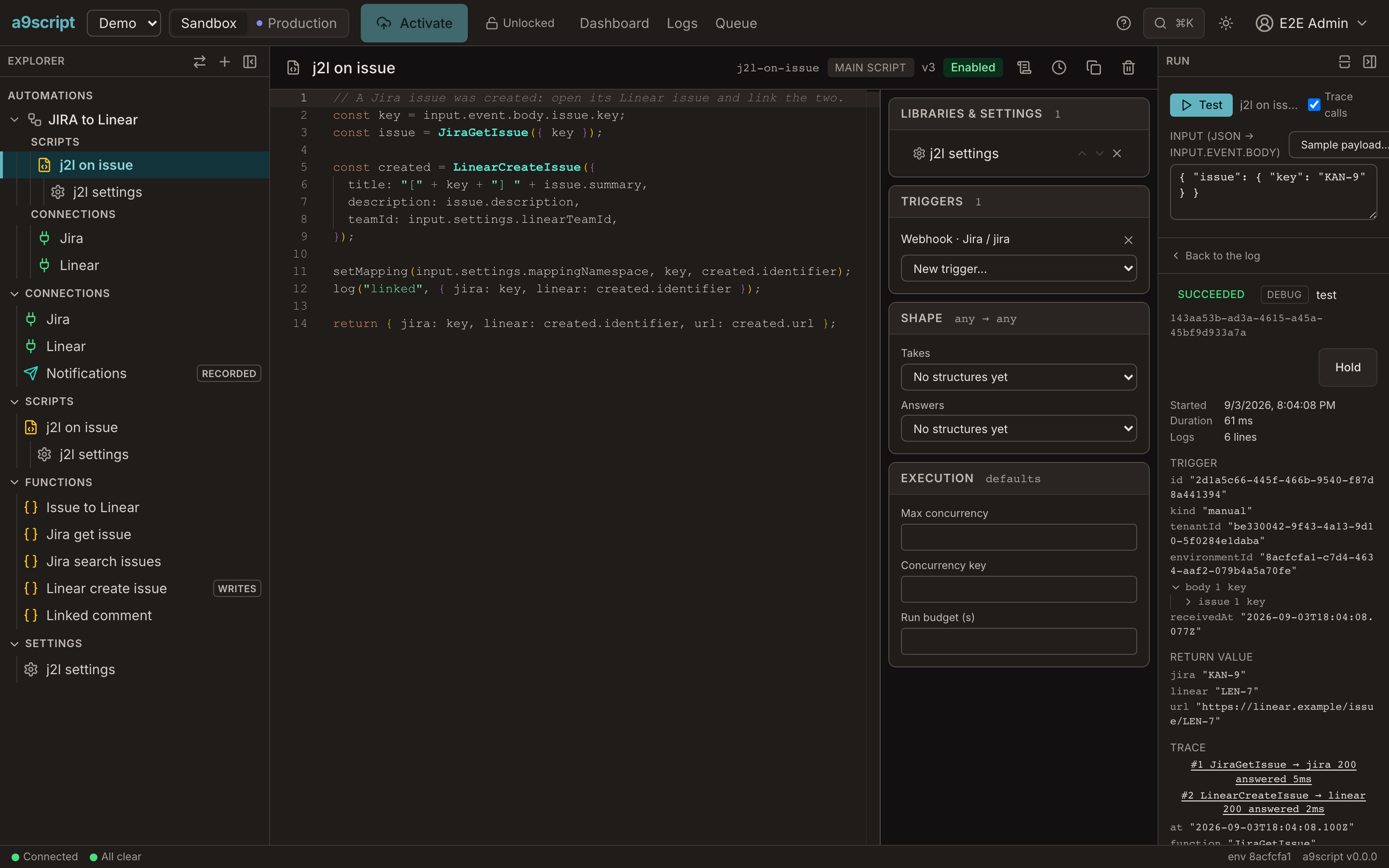
// A Jira issue was created: open its Linear issue and link the two.
const key = input.event.body.issue.key;
const issue = JiraGetIssue({ key });

const created = LinearCreateIssue({
  title: "[" + key + "] " + issue.summary,
  description: issue.description,
  teamId: input.settings.linearTeamId,
});

setMapping(input.settings.mappingNamespace, key, created.identifier);
log("linked", { jira: key, linear: created.identifier });

return { jira: key, linear: created.identifier, url: created.url };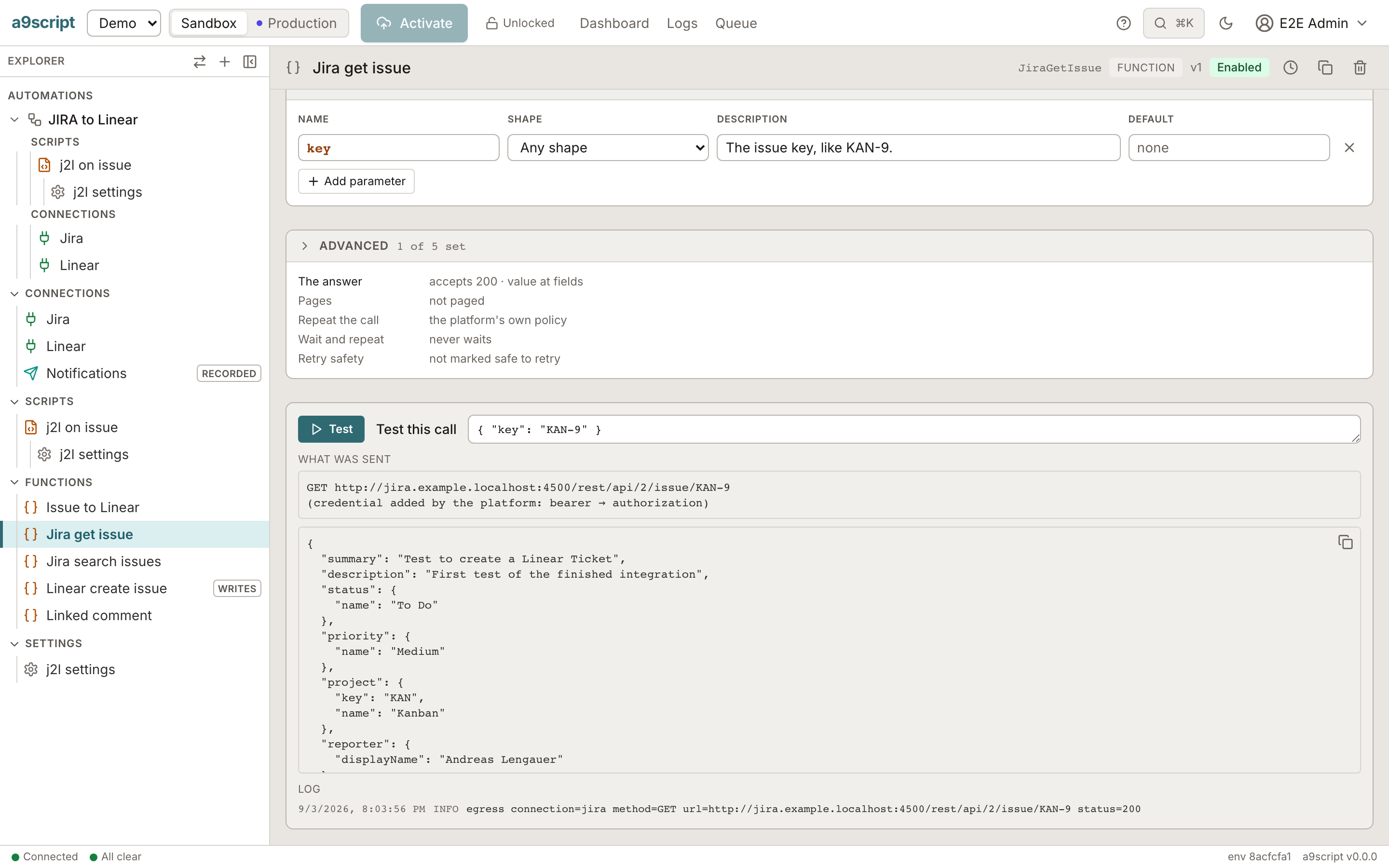
The green names are your configured calls. The call leaves the platform; the credential, the retries, the pause on a throttle and the record of the request are the platform's. What Test shows is what your script gets.
Only the logic is code
Retries, throttling, token refresh and paging are configuration. So are the texts, the mail bodies, the mappings and the prompts. Each part is tested on its own before a script exists — and a change to a text or a mapping is a configuration change your support engineer makes, not a code change.
Learn more about configured calls →| Kind | What leaves the code |
|---|---|
| http | One call to an HTTP API: configured in a minute, tested at once, called by name. |
| text | Every text a script produces — a comment, a message, a file name — lives outside the code. |
| A mail's subject, body and attachments, owned by the person who owns the wording. | |
| csv | CSV in, records out — or the other way round — with the result of a sample shown as you type. |
| jsonmap | One JSON shape into another, declared once, with the result of a sample shown as you type. |
| llm | Everything about a call to a model in one place: the prompt, the model, the key it never shows. |
One place for every connection
A connection holds the address and the credential; a script never sees a secret. The same code runs in sandbox and production. Webhook senders are pre-configured, and an endpoint can be an API for other applications or an MCP server for assistants — with your own users signed in.
Learn more about connections →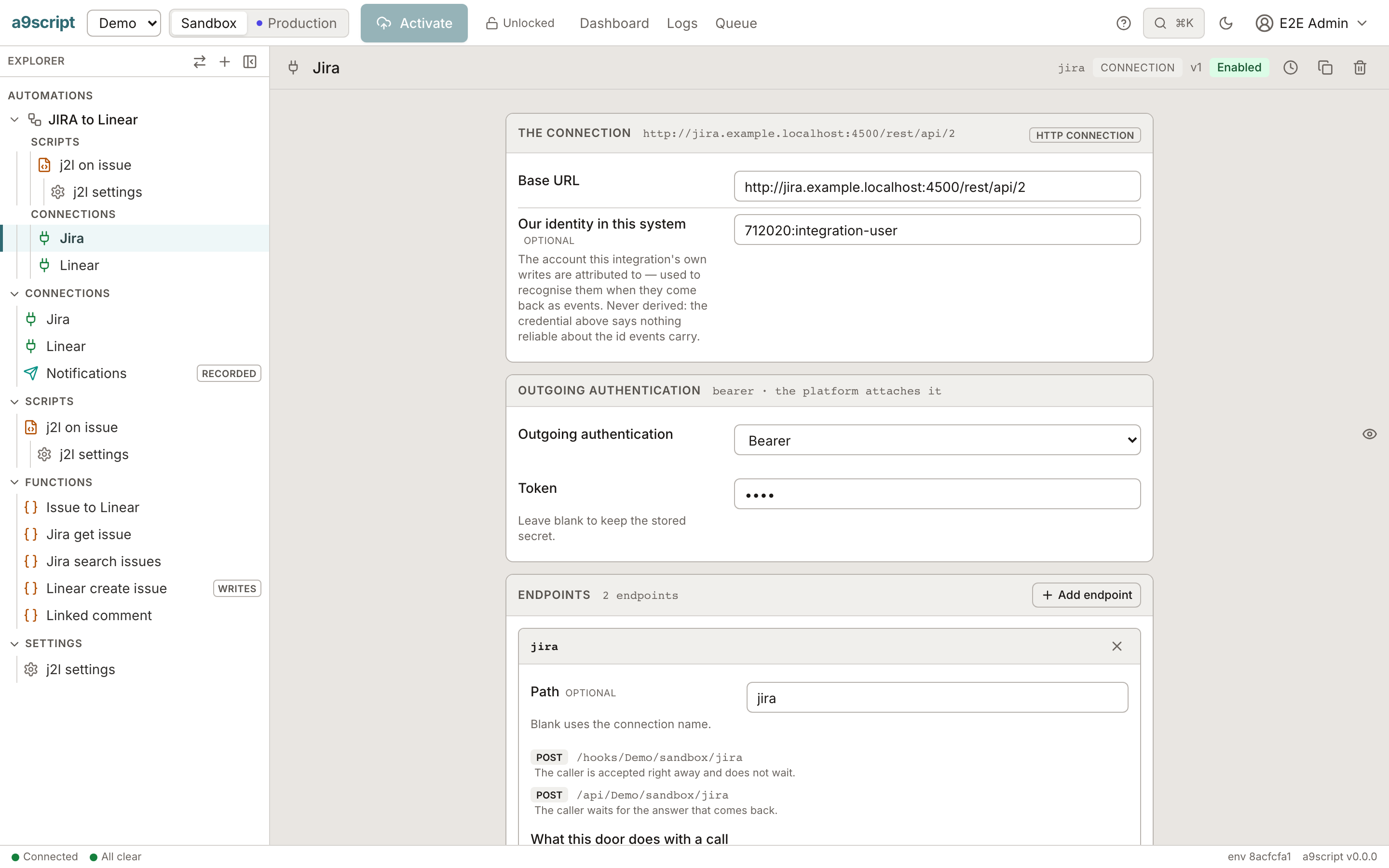
Runs that finish
The night job completes. A throttle is a pause, not a failure. A call that was made is never made twice: every run is written down as it goes, continues where it stopped, can be stepped through in a sandbox, and can be read afterwards.
Learn more about runs →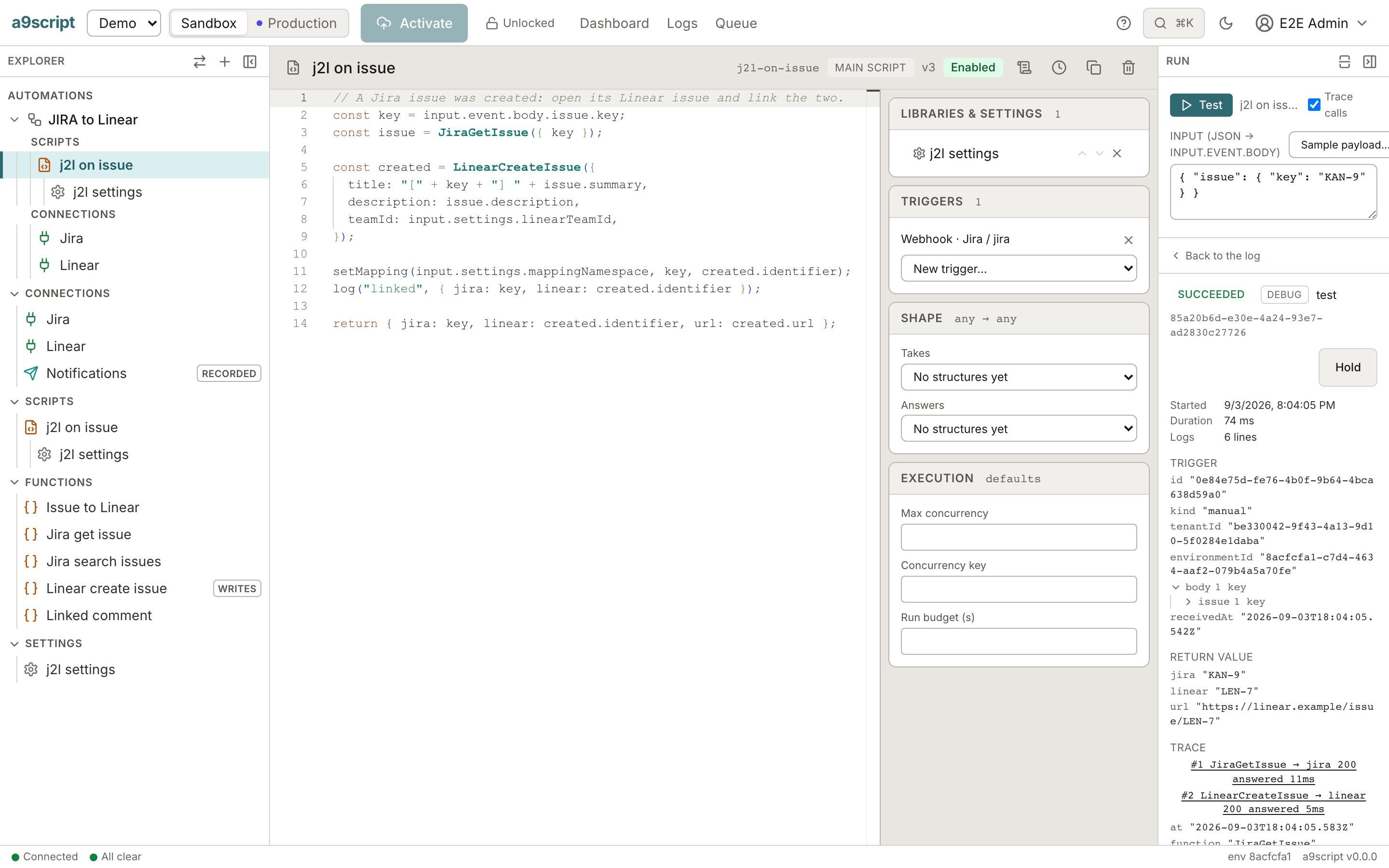
Built fast, by hand or by agent
An agent builds an integration alone: it probes a call, writes a folder, applies it, runs it with a trace and reads what came back. It never holds a credential, and what it produces stays small enough for a person to read.
Learn more about building with agents →a9script probe JiraGetIssue --input '{ "key": "KAN-9" }'
a9script apply ./jira-to-linear --dry-run
a9script apply ./jira-to-linear
a9script run j2l-on-issue --debug
a9script history <run> --jsonRuns at scale
Thousands of records a night, matched across systems without a spreadsheet of ids. Large files never break your script. Work is queued fairly across tenants, every tenant runs under ceilings, and your own users sign in at your endpoints.
Learn more about scale →| What | Where it goes |
|---|---|
| Records | Staged in a dataset and worked in bounded pieces; a pause keeps the place. |
| Ids | Mapped once per record, in the integration store, read by every later run. |
| Files | Held by the platform; a script carries a handle, never the bytes. |
| Load | One fair queue across tenants; ceilings per tenant and per environment. |
| People | Your own users, invited by mail, signed in at your endpoints. |
MCP in both directions
An assistant can build on the platform, and an assistant can use what you built on it. The credential stays on the platform's side both times.
Build over MCP
The authoring surface speaks MCP: an assistant with a token bound to one environment probes, applies, runs and inspects — the same rules a person at the keyboard gets.
Serve over MCP
An endpoint set to MCP lists the calls you configured as tools, each with a generated schema. Your legacy REST API becomes callable by an assistant without a server written.
Jira to Linear, built by an agent
An agent was asked to connect a Jira project to a Linear team: a new issue opens a Linear issue, comments and status changes follow it, and an hourly check closes the loop back into Jira. It used the connections and the endpoint that already existed, changed nothing that was there, and reported what it could not verify. The session is the case study.
Read the case study →Get your own tenant
The beta gives you a tenant with a sandbox and a production environment, your own users, and the documentation on this site. Write to us and we answer within two working days.