Product · Connections
One place for every connection
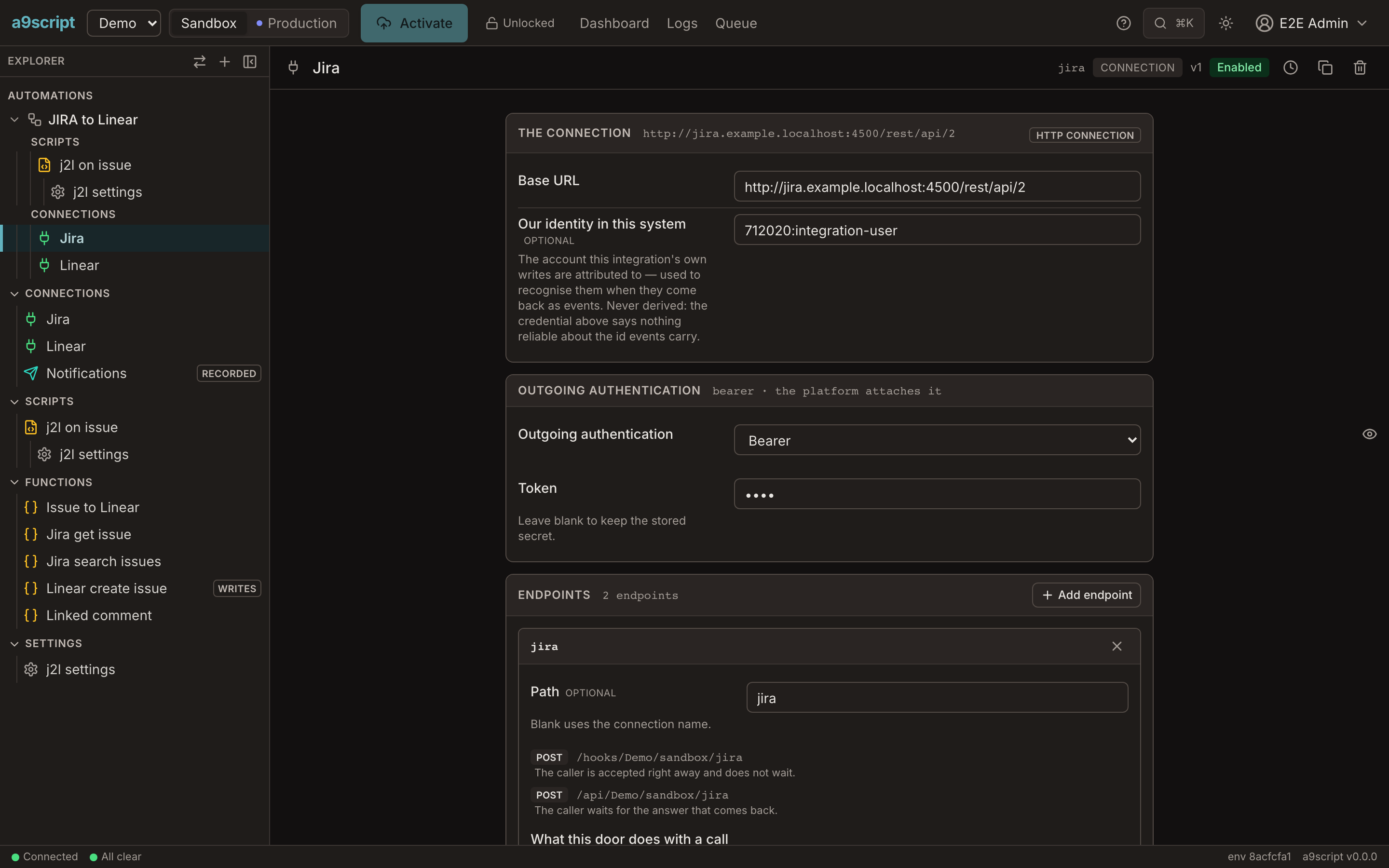
A connection says where a system is and who you are to it. Every call goes through it, and every event from that system arrives at one of its endpoints. The credential lives here and nowhere else.
Secrets apart from everything
A script never sees a secret: the platform attaches the credential when the call leaves, refreshes an expired token once and re-sends, and records the request with the credential named, never valued. The same script runs in sandbox and production — each environment holds its own connections and its own credentials, and a promotion carries none.
Connections in the docs →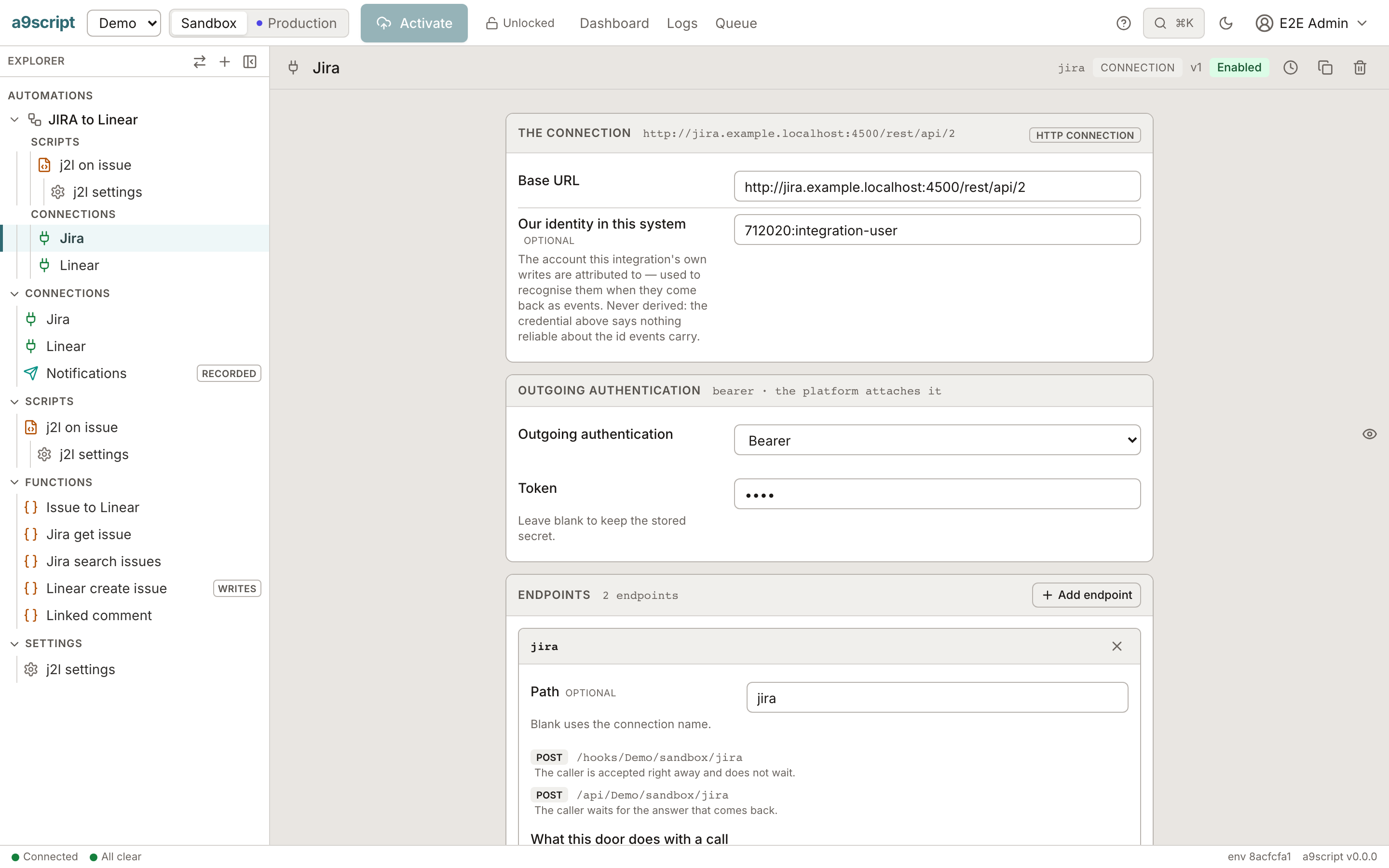
The two switches that stop a sync from feeding itself
A two-way sync writes to a system and then hears its own write come back as an event. Give the connection your own identity in that system, and add ignore rules to the webhook endpoint: your own writes coming back are dropped before any script runs. Only a matching rule drops an event; anything else still runs.
Senders are pre-configured
Pick your sender and the verification recipe is filled in; you enter only the secret or the trust anchor. Registration handshakes are answered by the platform without a run. A sender not in the list is described in the same vocabulary as a custom recipe.
a9script · Amazon SNS · GitHub · Atlassian Jira · Linear · Microsoft Graph · Okta · Shopify · Slack · Standard Webhooks · Stripe · Twilio · Xurrent · Zoom
Your first webhook in the docs →An endpoint is read four ways
Over the same path, the same network rule and the same switch, an endpoint is read as one of the following. Every activated endpoint describes itself: the browser, the command line and a GET on the endpoint answer the same document, so the person integrating with you is never handed a description that is out of date.
- webhook — A sender is acknowledged at once and your scripts run afterwards; several scripts can listen, each with its own filter.
- api — Another application calls and waits for the answer one script gives — with operations that name your configured calls.
- mcp — An assistant lists and calls the operations as tools, each with a generated schema; a legacy REST API becomes callable without a server written.
- app — A folder of files is served at your app's address and signs your users in at your environment.
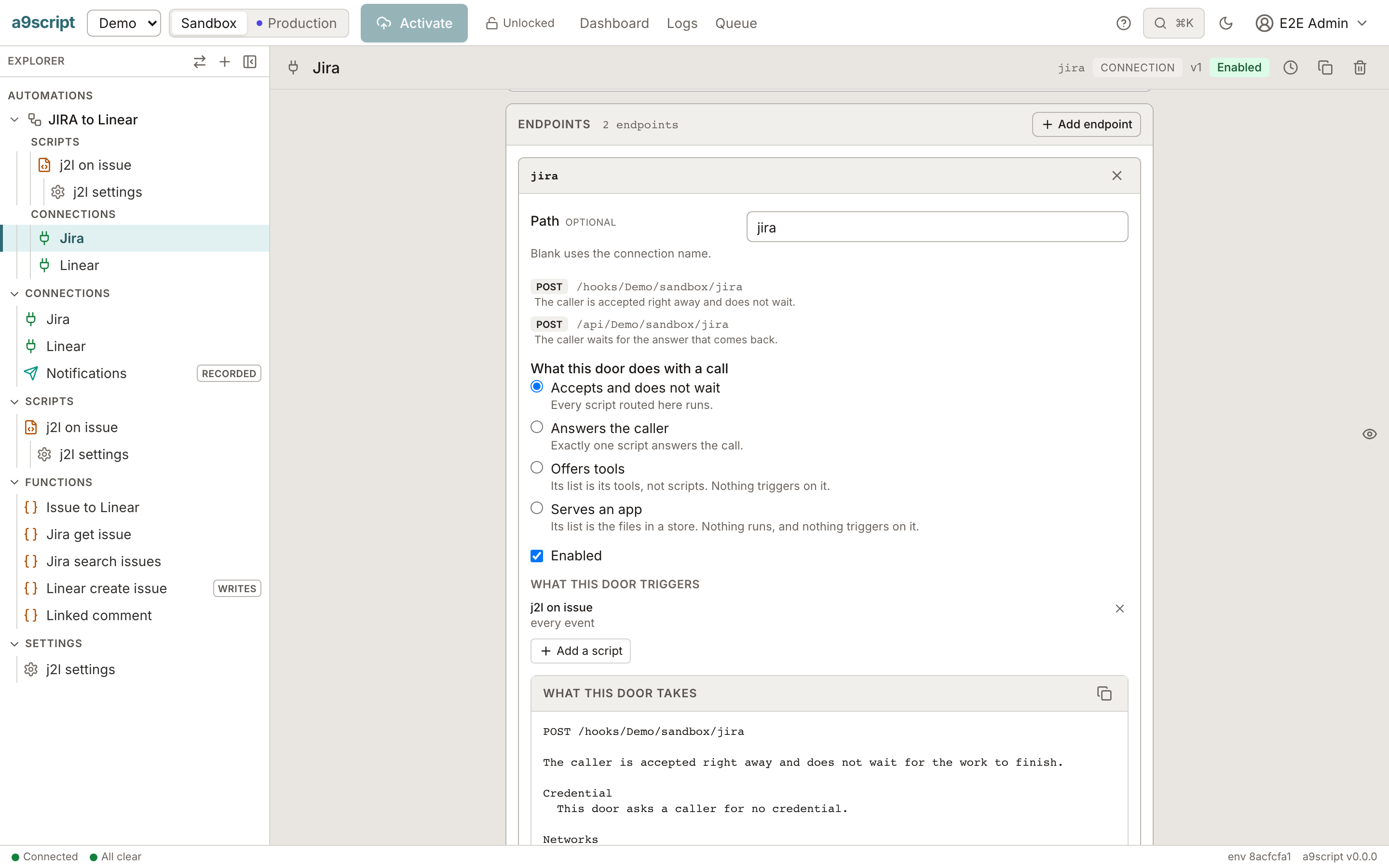
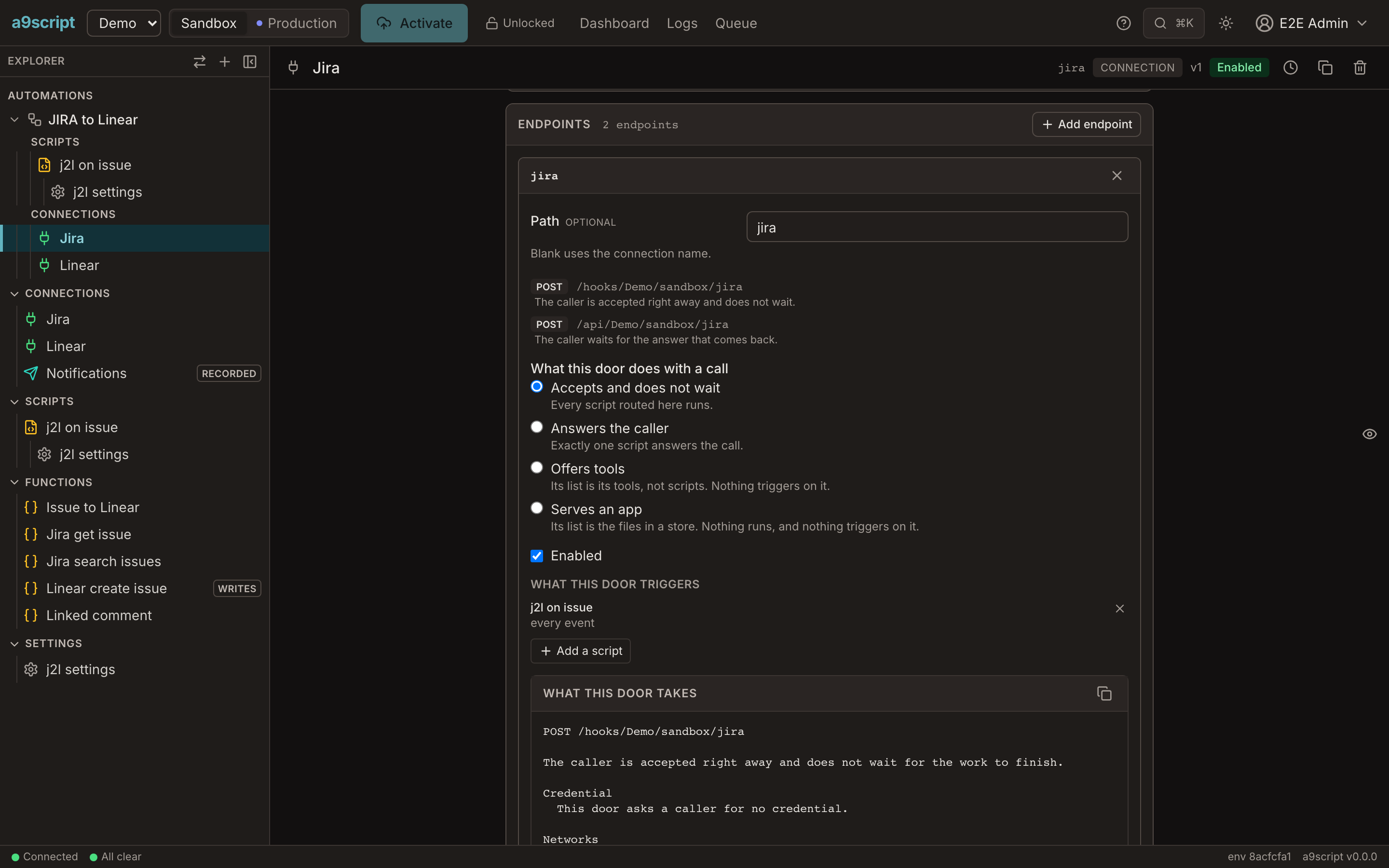
Who is calling
An API or MCP endpoint can require a signed-in caller. Your users are users of your environment — invited by mail through your own mail account, given the roles your environment defines — and never users of the platform. Your script sees who called.
App users in the docs →