Docs / Security & access
Administering a tenant
For whoever administers a tenant: the person who lets colleagues in, decides what its environments may reach, and is asked when an agent needs more than it has.
A tenant administrator holds the whole of one tenant and nothing outside it. Who the roles are, how somebody is invited, what a token is and what the second factor does are on People and access; this page is what being the administrator of a tenant actually asks of you.
The three switches that are yours alone
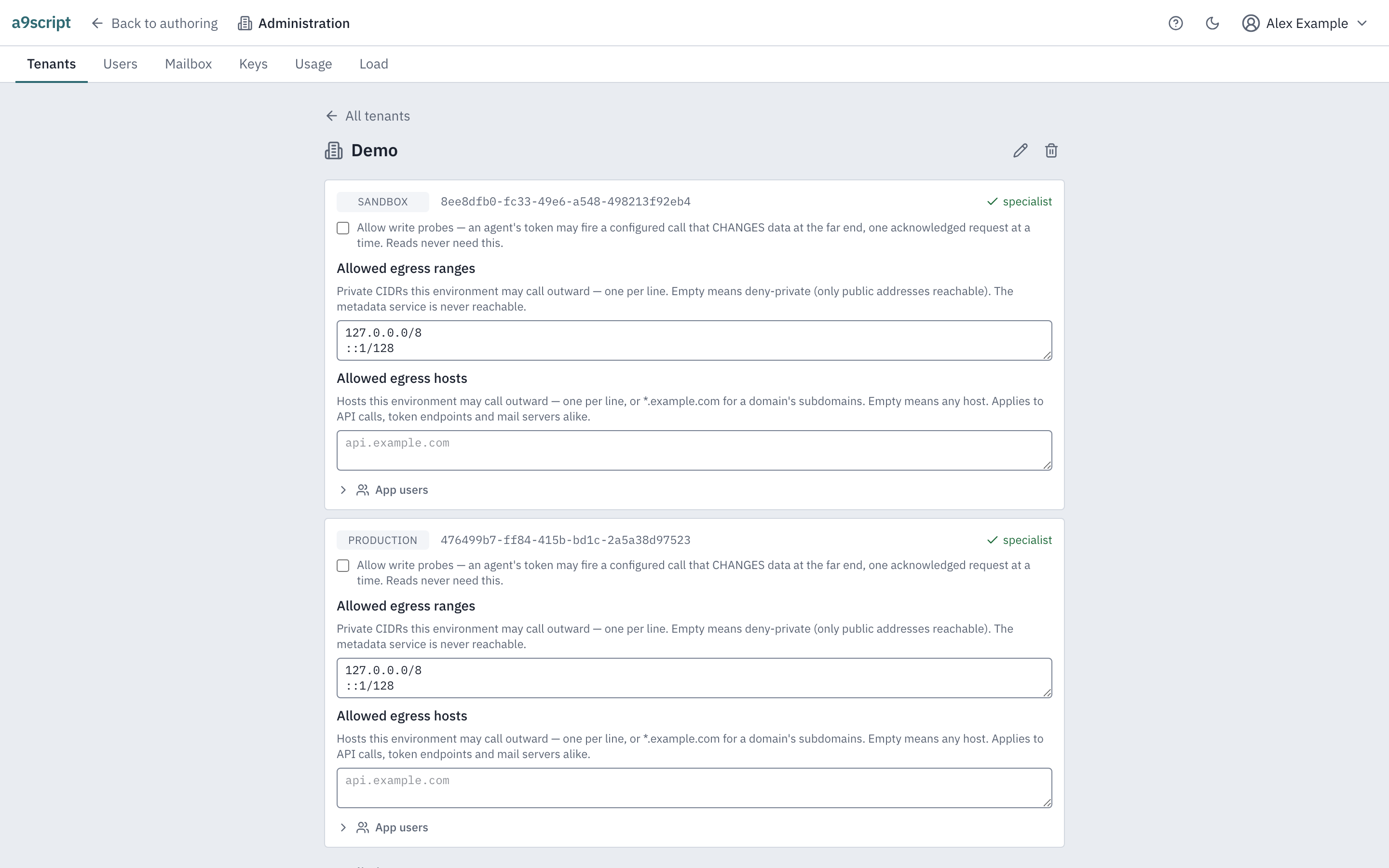
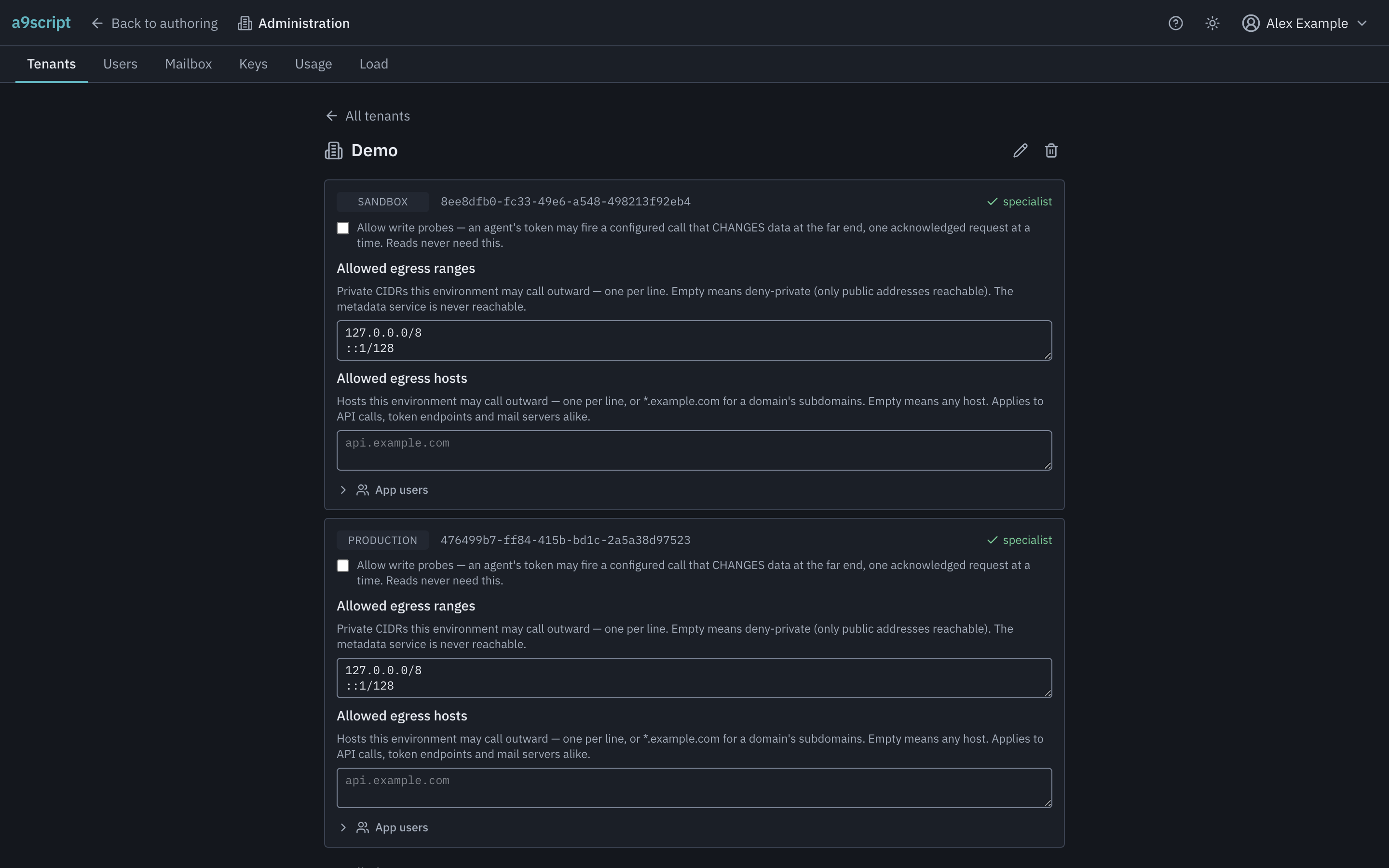
Every environment carries three settings that no token can change, only a person signed in to the browser:
- Allowed egress ranges — the private address ranges this environment may call outward. Empty is the default and means none: only public addresses are reachable. Cloud metadata addresses are refused whatever you list.
- Allowed egress hosts — the hosts this environment may reach at all. Empty means any, and a non-empty list is an opt-in allow list covering API calls, token endpoints and mail servers alike.
- Allow write probes — whether a machine credential may fire a configured call that changes data at a far end, one acknowledged request at a time. Off by default. Reads never need it.
They sit together because they answer one question: how far a credential somebody else holds may reach. That is also why a token cannot set them. A token that could open the gate protecting against token holders would not be a gate — so these live on a surface only a browser session reaches, and a token presenting itself there is refused whatever its scope.
Each of the three is recorded when it changes, with who changed it, which environment, and the value it now holds. The door limits below are recorded the same way. That trail is the first thing an incident review asks for, and the act of opening a gate is as worth recording as anything done through it.
The write-probe switch is the one you will be asked about. An agent working in your sandbox can read anything it is pointed at; firing a call that writes needs this switch and an acknowledgement in the request itself. Turning it on for production is a decision, not a convenience.
The door limits, which are the tenant’s
One more setting is yours alone, and it belongs to the tenant rather than to an environment: the door limits — how many requests a minute one of your endpoints may bring, how many the whole tenant may, and how many events may wait on one door before it refuses. The platform has a number for each, and those numbers are the most any tenant gets: what you set here can only be narrower. Leave a field blank and the platform’s number applies; type a smaller one and it applies to this tenant alone. The platform’s own numbers are shown in the fields, read from the running platform, and a number above one is refused where you type it. You cannot switch a bound off — zero is refused too.
Narrowing is what the setting is for. A tenant whose senders are known to be light can be held well under the installation’s numbers, so a sender of theirs that loops on an error is stopped early and cannot crowd out the heavier tenants the installation’s numbers were sized for. The setting is recorded like the three switches above: who changed it, and all three numbers as they now stand.
What you can do, and what you cannot
You administer one tenant: its environments, its people’s access to them, and its work. The people part is one panel on the tenant’s page.
- Invite somebody — an address, a name, one environment and a role. The person gets a mail; nothing is granted until they accept: somebody new by choosing a password from the link, somebody who already has an account by signing in and accepting. The panel lists every open invitation the same way — it does not tell you whether the address had an account, and you can withdraw one until it is accepted. An invitation needs the installation’s mail account; without one, the platform administrator sets it up first.
- Let somebody into an environment — give a person of your tenant a role on it, change the role, or take it away again.
- Reset a member’s password, and clear a member’s lost second factor — for your own members, never for somebody whose access lies outside your tenant; the panel offers both only where they are yours.
- See the other tenant administrators. Who they are is shown; changing it is not yours.
- Manage the work: hold, stop and replay, discard a dead letter, clear a whole environment’s health marks. Those acts are on When the work jams and When something is wrong.
- Manage the people who call your environment’s doors — a different population entirely, on App users.
One thing looks like yours and is not: making somebody a tenant administrator. That is a decision about who else holds what you hold, and it is made a rung above you.
Two environments, and only two
A tenant is created with exactly two environments, sandbox and production,
and they are made together when the tenant is. There is no control that adds a
third, renames one, or deletes one — not hidden somewhere, not anywhere.
This is worth saying plainly because everything else about an environment invites the opposite belief: it is a thing you have, it has settings, it appears in a list. It is not a thing you create. If you need a separate place to work, that is a second tenant.
What the tenant consumed
The tenant’s page shows its consumption over a range you pick: per environment the runs its traffic caused, with their work time and CPU, the Tests and CLI runs its authors started counted apart, its calls and tokens, and the storage it holds as last measured. It is yours to read, signed in; a token does not reach it. The installation’s figures across every tenant are its administrator’s (Running the platform).
The trail
Every environment keeps a record of what was done to it and by whom: who activated a version, who restored or transferred one, who cleared a health mark, who stopped or woke a run, who was given access to what, and each of the three switches above. Entries are appended and never edited — the record is what is left of an act after the act, which is exactly why acknowledging a health mark or discarding a dead letter is worth recording: both destroy their own evidence.
Read it on the Logs page: the Audit tab, Config changes. An
auditor’s grant is enough to read an environment’s, which is the point of that
role existing. Narrow it by what the action starts with (config., grant.,
environment.), by a person’s name and by the page’s window; Older reads
further back, a page at a time. Arrivals and runs beside it is the
runtime’s record — what came in through the doors and what ran — which holds
none of these acts.
Some acts belong to the tenant, not to one of its environments: a membership given or taken, the door limits. As the tenant’s administrator you read them under The tenant’s own acts on the same tab; nobody below you sees them.
Two things it deliberately does not hold: the payload of anything, and any credential. It says a connection’s secret changed; it never says to what.
An automated browser test performs part of this page’s acts against a running platform, every time the product changes — a tenant is created, renamed with the warning about its addresses, and deleted behind a typed confirmation whose dialog says what survives and what does not.