Docs / Working in the browser
Going back
For the person who built the thing.
Reading a version, a diff or a blame needs only the right to read the environment. Putting an older version back is a WRITE — it needs the same role and the same edit lock any other change does.
Every Activate is a version. Not the ones you decided were worth keeping — all of them, numbered, each recording who made it and when (Activate is the only save; Your first automation taught it). This page is about reading that history, and about putting an older version back.
Reading what changed
Open an entity and press History. The list is every version, newest first, each with its author and time. Pick one and you see what that version changed against the one before it.
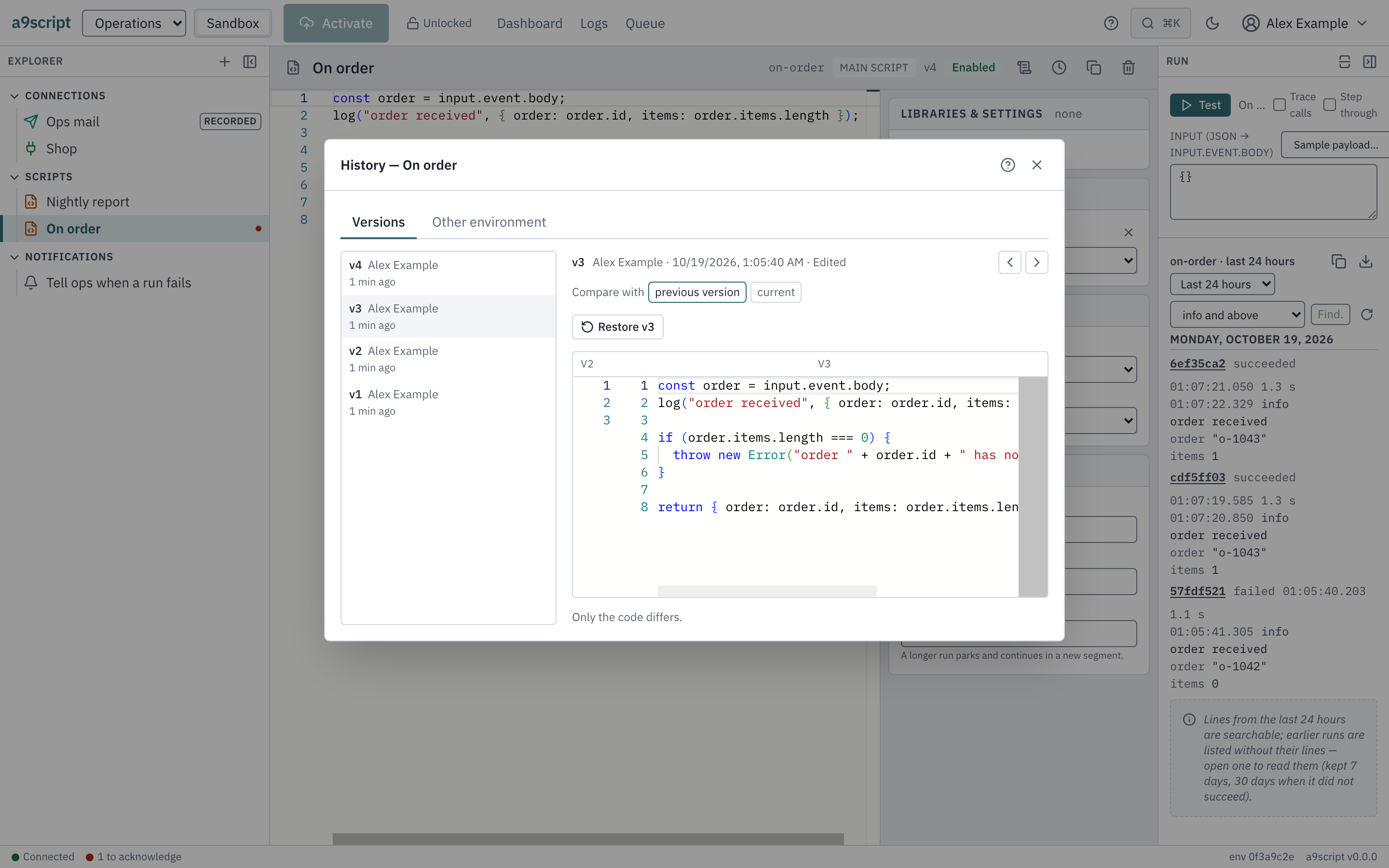
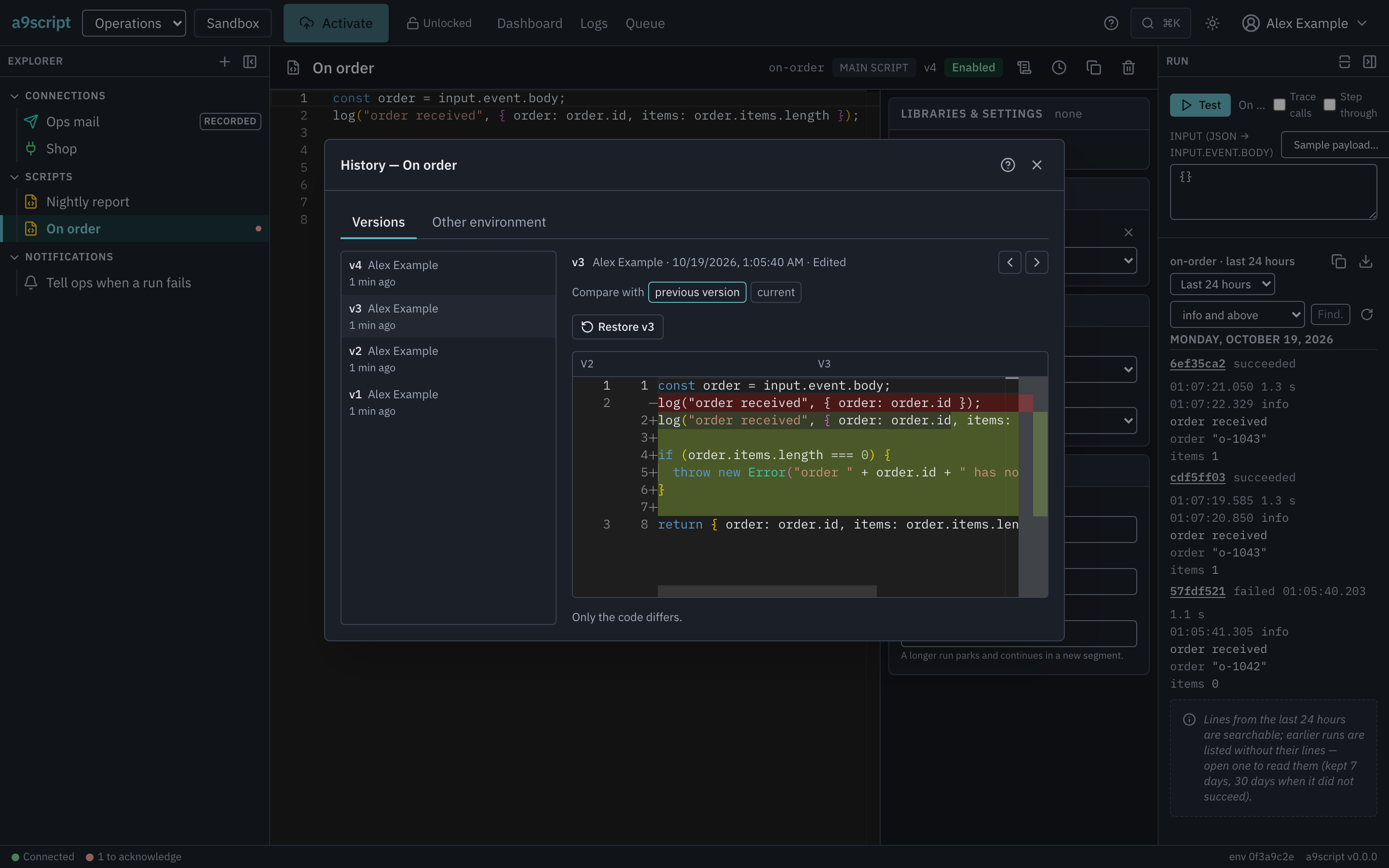
For a script that is a real diff: the lines that arrived, the lines that left, side by side. Older version steps further back, one version at a time. The view is read-only — a version is a record, not a place to edit.
For configured things — a connection, a function — the change list names each changed field by its path, with the old and new values beside it. With one deliberate exception: a credential. When a secret was rotated, the list says exactly that — (secret changed) — and nothing else. Not the value, not even a masked one. A history you can read must never become the place a credential leaks: that a rotation happened is recorded; what it rotated to appears nowhere.
Who wrote this line?
For a script there is a second way to read the past: Blame. Every line of the code carries the version that last touched it and the author of that version — so “why is this line here” starts with the person who wrote it and the version where they did.
Blame is only offered while the code in the editor is exactly what was last activated. The moment you have unsaved edits it goes away, rather than attribute your half-typed line to somebody who never wrote it.
Putting a version back
Restoring never rewinds. Pick the version you want, press Restore, and it becomes a new version at the top of the history. The mistake stays recorded, the recovery is recorded after it, and the history remains the whole story. A restore refuses to run while you have unsaved edits, rather than choose between your draft and the past for you; and if the old version names things that no longer exist — a connection deleted since — it is refused, naming them, before anything changes.
And the sentence that matters most: a restore rolls back configuration and never a credential. A connection you restore comes back with its old address and its old settings — and its current secret. A credential is rotated for reasons the configuration history knows nothing about; going back to last month’s setup must not quietly mean going back to last month’s key.
The other environment
The same dialog also looks across environments: the Other environment tab shows this entity beside its counterpart — sandbox beside production — with the same change list between the two, and it says how the pair was matched. Usually that is matched by a previous transfer: the move itself is what makes two copies “the same entity”, which is the subject of Promoting to production.
An automated browser test performs this page’s walk against a running platform, every time the product changes — a history written by two authors and read back, the rotated credential reported and never shown, a restore becoming a new version, the pairing across environments — so the page cannot outlive the behaviour it describes.