Docs / Data, files, mail
For an author whose integration has to send a message, or start when one arrives.
Mail leaves and arrives through entities of your environment, exactly as HTTP calls do. An Email out account sends. An Email in mailbox is watched. A script never holds a password for either.
Sending
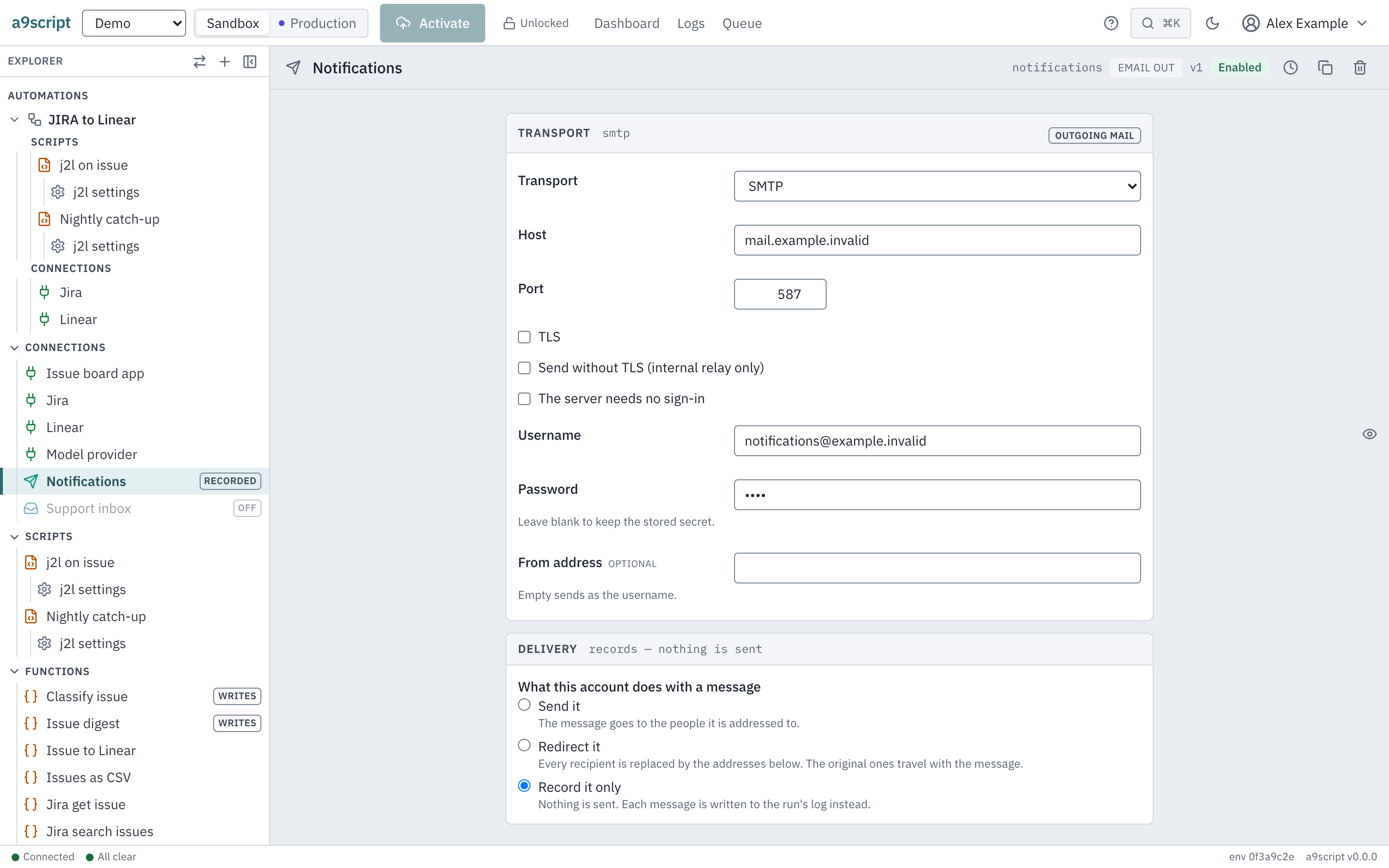
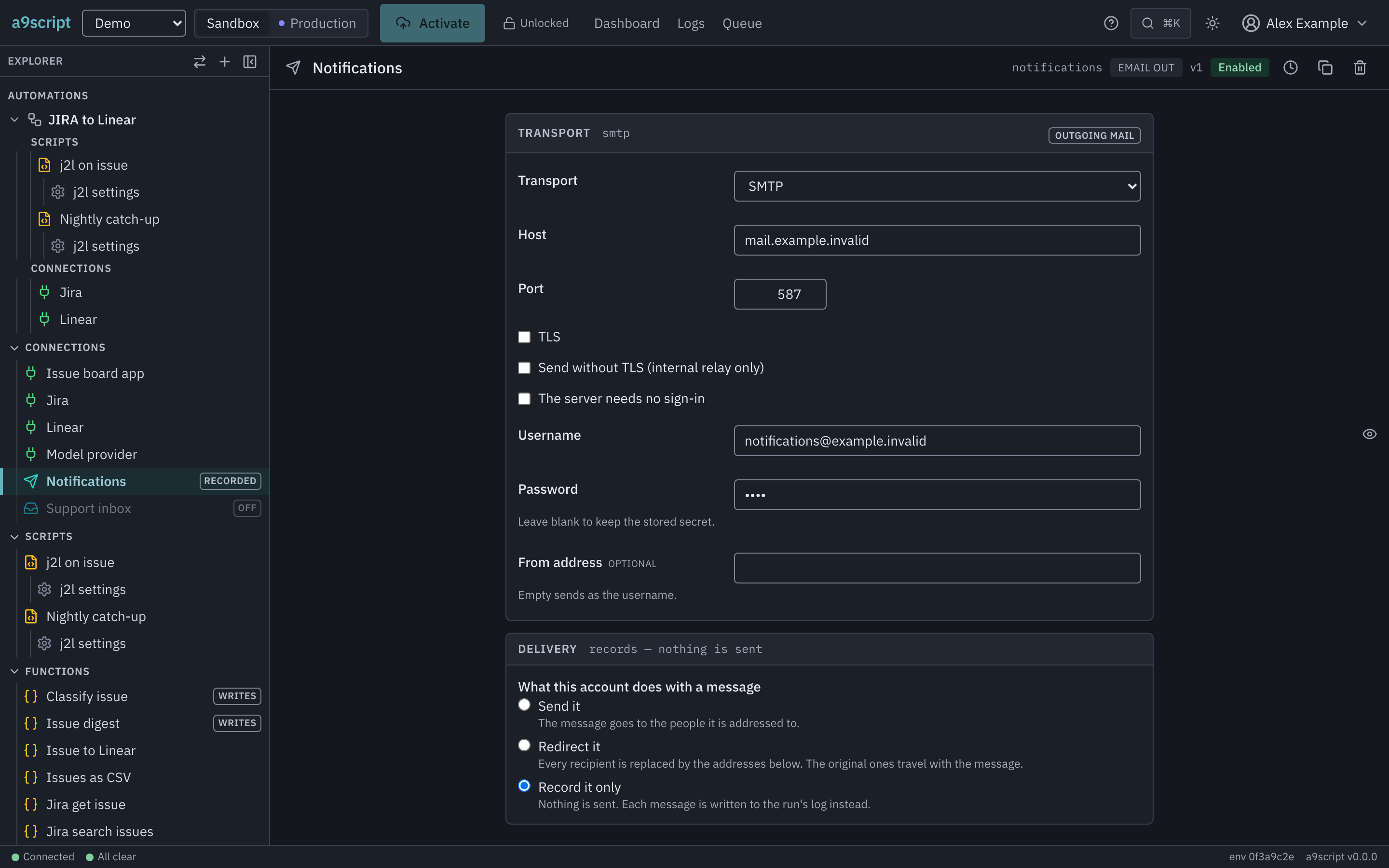
An Email out account carries the transport and nothing else you would call business logic. There are two:
- SMTP — a host, a port, whether the connection is encrypted, a username and a password, and the address mail is sent from (empty: the username). A connection that is not encrypted from the first byte must switch to encryption (STARTTLS) before the password or the message goes; a server that does not offer it is refused. An internal relay without TLS works only with Send without TLS ticked, and one that takes no credentials with The server needs no sign-in — it then sends from the address you give.
- Microsoft Graph — a token URL, a client id, a client secret, the address it sends from, and which grant the app registration holds — see below.
The password, the client secret and the refresh token are entered once and sealed. No screen, diff or recorded request gives one back, and no script can read one.
What a send can answer besides success:
- Some recipients refused. The server took the message and turned some
addresses away: the send stands, and
refusedlists the addresses it would not take. Do not send it again — the others have it. - The mail may have been sent. The send failed after the server had taken the message (it went quiet, or the connection dropped): the error says the mail may have been sent. Check before you send it again, or the recipients may get it twice.
- Too large for Microsoft 365. A Graph account carries the attachments in one request of at most 4 MB; a larger message is refused before anything is sent. Send it through an SMTP account.
The Graph grant
A Microsoft Graph account is an app registration in Entra, and a registration is built one of two ways. The account says which, and the platform asks the token endpoint accordingly — there is nothing to work out from what happens to be filled in:
delegated— a refresh token obtained with a signed-in user’s consent; sends as that user. The refresh token is entered on the account; the token URL is the tenant’shttps://login.microsoftonline.com/<tenant>/oauth2/v2.0/token.application— a client secret and an application permission (Mail.Send); no user, no refresh token. The ordinary machine-to-machine registration: an administrator grantsMail.Sendas an application permission, consents once for the tenant, and no person ever signs in.
An account created before the choice existed is delegated, which is what it
always was. Switching a stored account is one click: a refresh token it holds
stays sealed and unread under application, and is there again if you switch
back.
The token URL is the v2.0 endpoint in both cases (…/oauth2/v2.0/token);
the older endpoint takes a different request and answers the application
grant with an error about a missing parameter.
What the application grant lets a registration do. An application
permission is not scoped to a mailbox: a registration holding Mail.Send may
send as any mailbox in the tenant, and the sends from address on the
account is typed by whoever edits it. Confining the registration to the
mailboxes meant for it is Exchange’s job, not this platform’s — an
Application Access Policy (New-ApplicationAccessPolicy in Exchange
Online PowerShell) restricts the app id to a mail-enabled security group.
Set one before you hand the registration to an environment; the platform
cannot check whether it exists.
What a script writes is a call. Usually that is an email configured function,
which holds the envelope, the subject and a markdown body as a template — see
Connections and functions, which is where the
six function types live:
OrderReceipt({ to: input.event.body.customer, order: input.event.body.id });

return "receipt sent";
For a message the shape of which is not worth configuring, sendMail takes the
whole message as a value. Either way the account decides the server and the
credentials, and an environment with exactly one account may be left unnamed;
one with several must be told which.
What an account does with a message
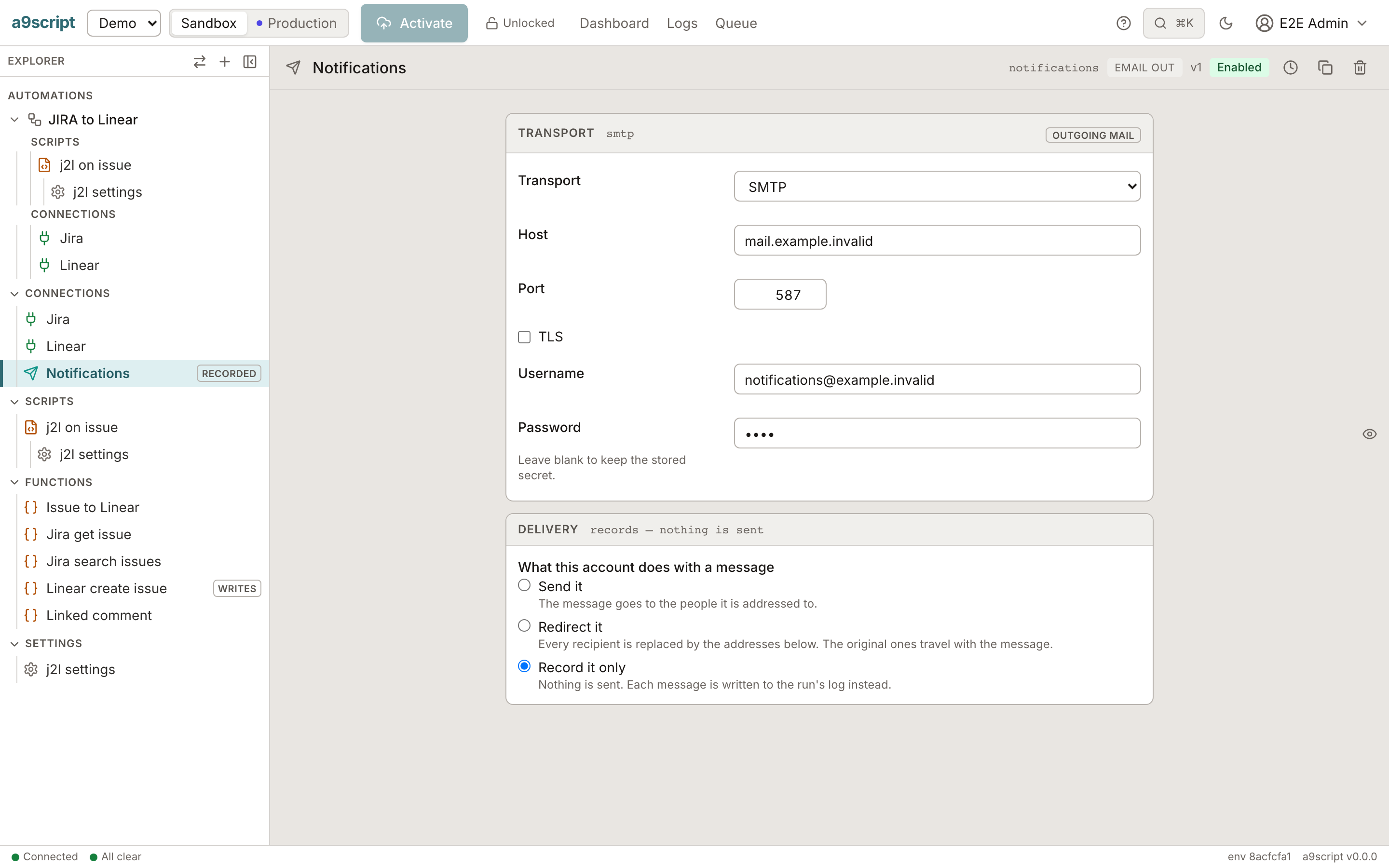
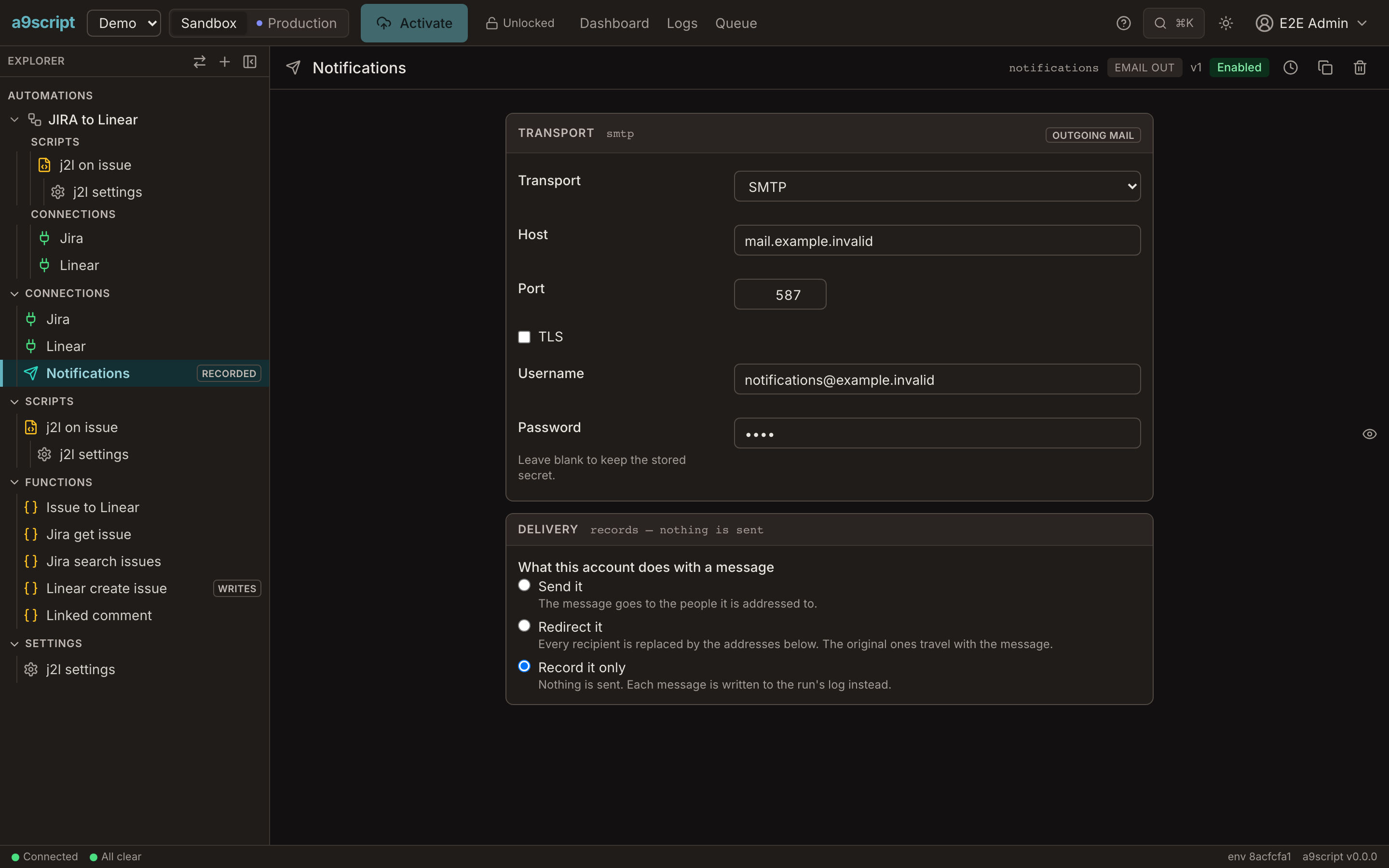
Building something that sends means running it, and running it means it sends. A sandbox wired to real addresses — a copied dataset, a test system holding real contacts — makes “check that it works” and “mail everybody” the same act. So every account says what it does with a message, and the same three choices exist in every environment:
deliver— the message goes to the people it is addressed to. The default, and what you eventually want.redirect— every recipient is replaced by the addresses configured on the account: To, Cc and Bcc alike, because Bcc is the one you forget. The message still carries who it was for, in its headers and in a marked subject line, and the body is untouched.record— nothing is sent at all. Each message is written into the run’s log with its recipients, its subject and as much of its text as a log line holds.
Work through them backwards. Build against record and read the run log — that
is the mode for the run that would mail a whole dataset, because redirecting
such a run only moves the flood into one inbox. Switch to redirect for the
handful of end-to-end proofs where you want to see a real message arrive. Turn
deliver on when the thing is meant to be real.
An account keeps its setting when it is promoted, deliberately: bring a new integration up redirecting, work the first glitches out where every message lands in one inbox, and turn sending on once it is right.
A send that was redirected or only recorded still succeeds. The run takes exactly the path it will take when the mail is real, which is the whole point. The answer says which of the three happened, so a script can branch on it, and the run log says it too — so you can see at a glance which of a run’s messages went anywhere. Wherever the account is named, an account that is not delivering says so.
Receiving
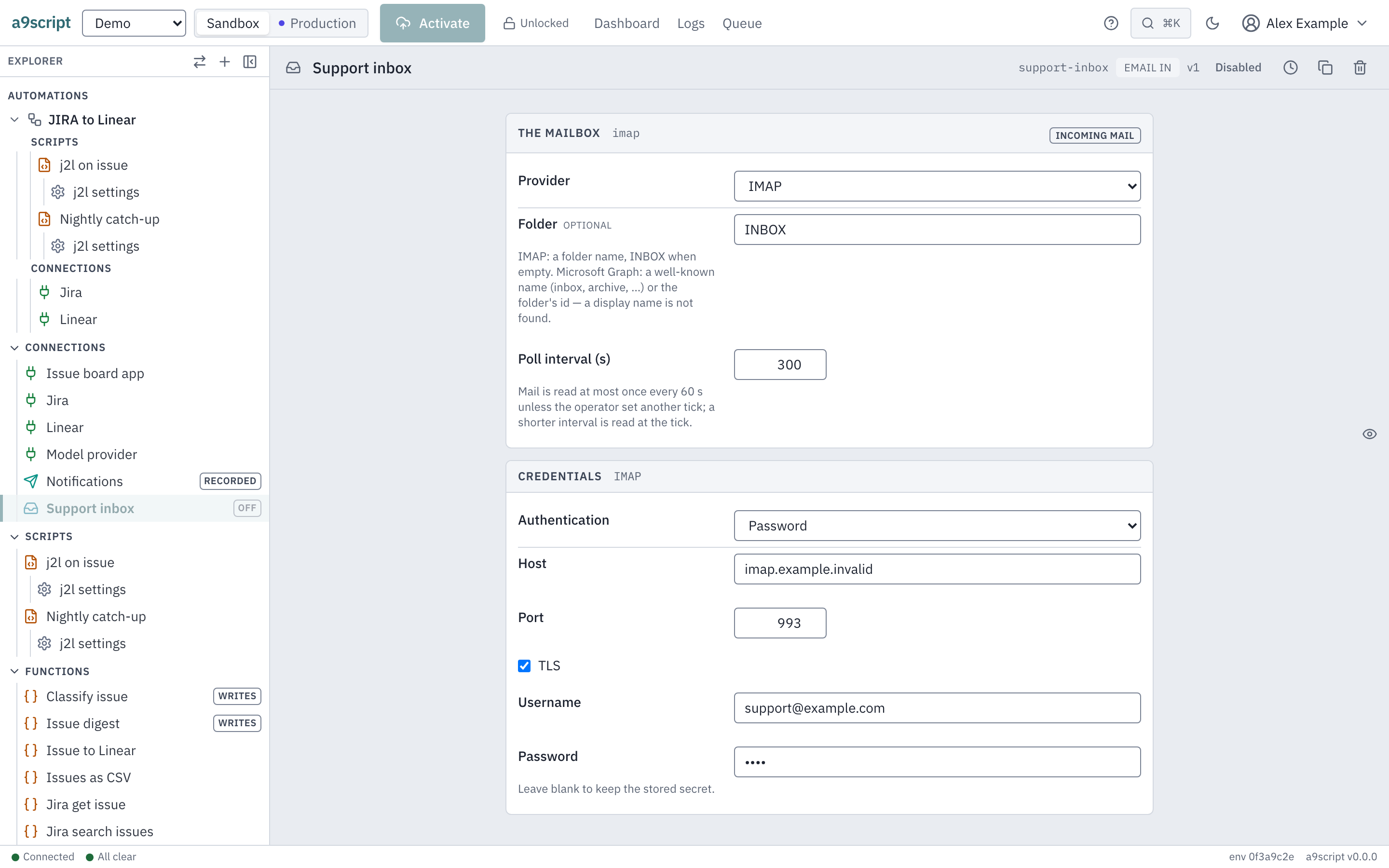
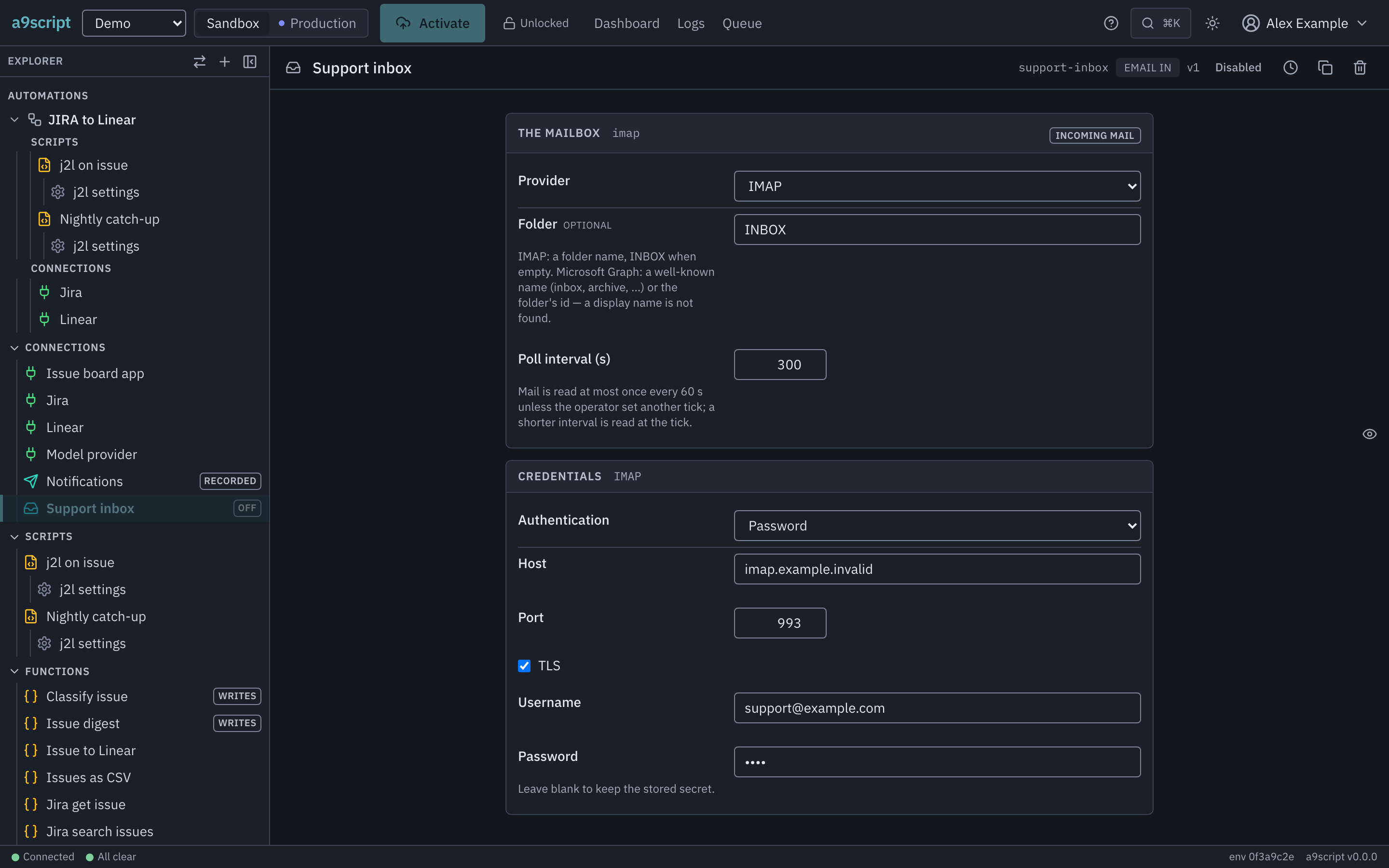
An Email in mailbox is a mailbox the environment watches. Configure it with a
provider, the mailbox address (Microsoft Graph — IMAP’s account is its
username), optionally a folder, and how often to look. Gmail is not read yet;
reach a Google mailbox over IMAP with OAuth. A folder is a name for IMAP (the
inbox when empty) and, for Microsoft Graph, a well-known name such as inbox
or archive, or the folder’s id — a folder’s display name is not found. Mail
is looked at once every 60 s unless the operator set another pace; a shorter
interval than that is read at that pace.
- Microsoft Graph — OAuth credentials: a token URL, a client id, a client
secret, and the same choice of grant as a sending account —
delegatedwith a refresh token, orapplicationwithMail.Readgranted as an application permission (and the same Application Access Policy duty). An optional scope replaces the default the application grant asks for. - IMAP — a host, a port, whether the connection is encrypted, a username, and either a password or OAuth credentials with a refresh token. The application grant is Microsoft Graph’s alone; a mailbox reached over IMAP holds a delegated one, and choosing otherwise is refused when you activate.
A message that arrives becomes one run of every main script that listens, the same way a webhook does. Point a script at it with a trigger — see Triggers and concurrency.
Six behaviours worth knowing before you switch one on:
Activating a mailbox processes no history. The first look adopts a baseline: whatever is already in the mailbox is not work. Otherwise a mailbox with ten years of mail would become ten years of runs the moment somebody ticked Enabled.
A message becomes work at most once. The platform claims a message before it enqueues anything, so a crash costs that one message its run rather than delivering it twice.
A mailbox nobody listens to is not polled at all, and the node’s log says so rather than leaving you to wonder. Add the trigger, and it starts.
A mailbox whose scripts are all switched off still reads its mail — and drops it. Nothing runs, and nothing comes back when a script is switched on again; the node’s log says so once. To keep mail for later, switch the mailbox off: a mailbox that is off reads nothing and keeps its place.
A broken mailbox complains once, when it breaks, and says so once more when it recovers — not on every pass. Renaming a mailbox keeps its place: nothing it had not read yet is skipped.
Mail moved into the folder later is not read. A mailbox reads what arrived since its last look, by arrival time: a message rescued from Junk or moved in by a rule keeps its old arrival and stays unread by the platform. Forward it to the mailbox instead.
What a message looks like to a script
A mailbox run arrives with input.event.kind of email_in and the message
envelope as its body — sender, recipients, subject, the text and/or HTML body
and the headers. A body larger than 1 MiB arrives cut there and the envelope
says truncated: true (a very large Microsoft 365 mail arrives as plain text,
or rarely without its body); attachments are not delivered. Reading what triggered you is the page
about input.event door by door.
One mailbox that is not yours
An installation also has a mail account of its own, which it uses to send invitations and password resets. It belongs to whoever runs the installation, not to a tenant, and nothing in your environment configures it.
It sends for your environment in one case only: a notification rule’s alert, when the rule names no account, the environment has no mail account at all, and the installation’s administrator has let the platform’s address stand in. There the platform’s limits on recipients and mails apply — see Where the mailbox comes from. Mail a script sends never goes through it.