Docs / Working in the browser
Reading a run
Debugging is reading. For an agent, the same reading is the loop. A run keeps what it received, what it returned, what it cost and every line it logged; a sandbox run can keep more. This page is the order in which to read.
The run panel
Pick a run from a script’s run log and the panel shows: the trigger as it
was stored (the event, or the manual test input), the return value, the
duration, and the log lines. Values are drawn under a budget — a closed
branch shows nothing, an open one a page at a time — and types stay visible:
an empty string, null, undefined and a missing key are four different
findings.
The run log
One list across a script’s runs, narrowed by four filters that the server answers, not the page: a level means that level and above; search terms are ANDed; a time window slides; a run id replaces the window. Under the default level the platform logs its own calls — one line per call that left the run, with names, argument keys, row counts, ids, the outcome and the duration; an argument’s VALUE is never written. The one exception is a mail account set to record: it writes the withheld message so you can read what would have been sent.
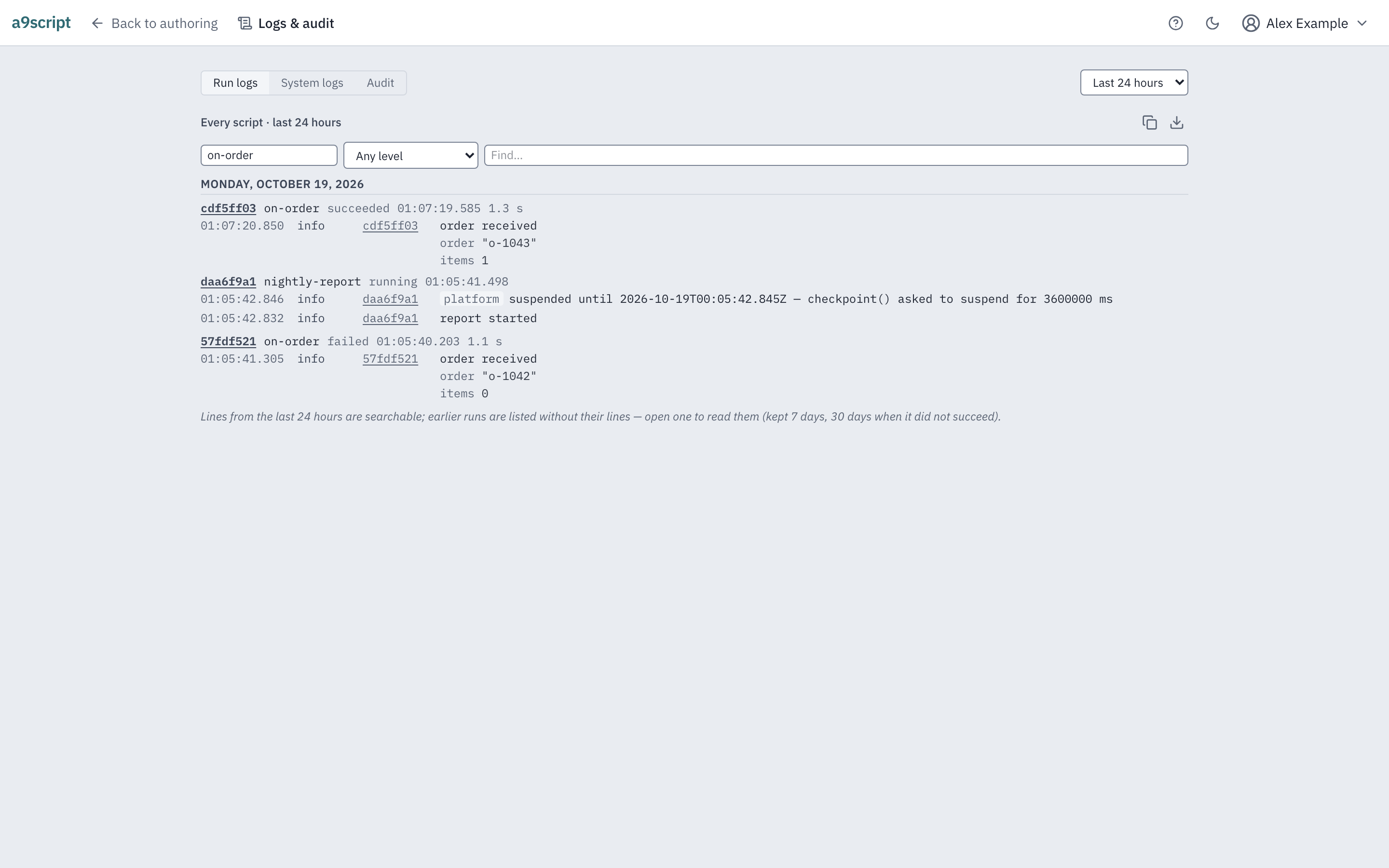
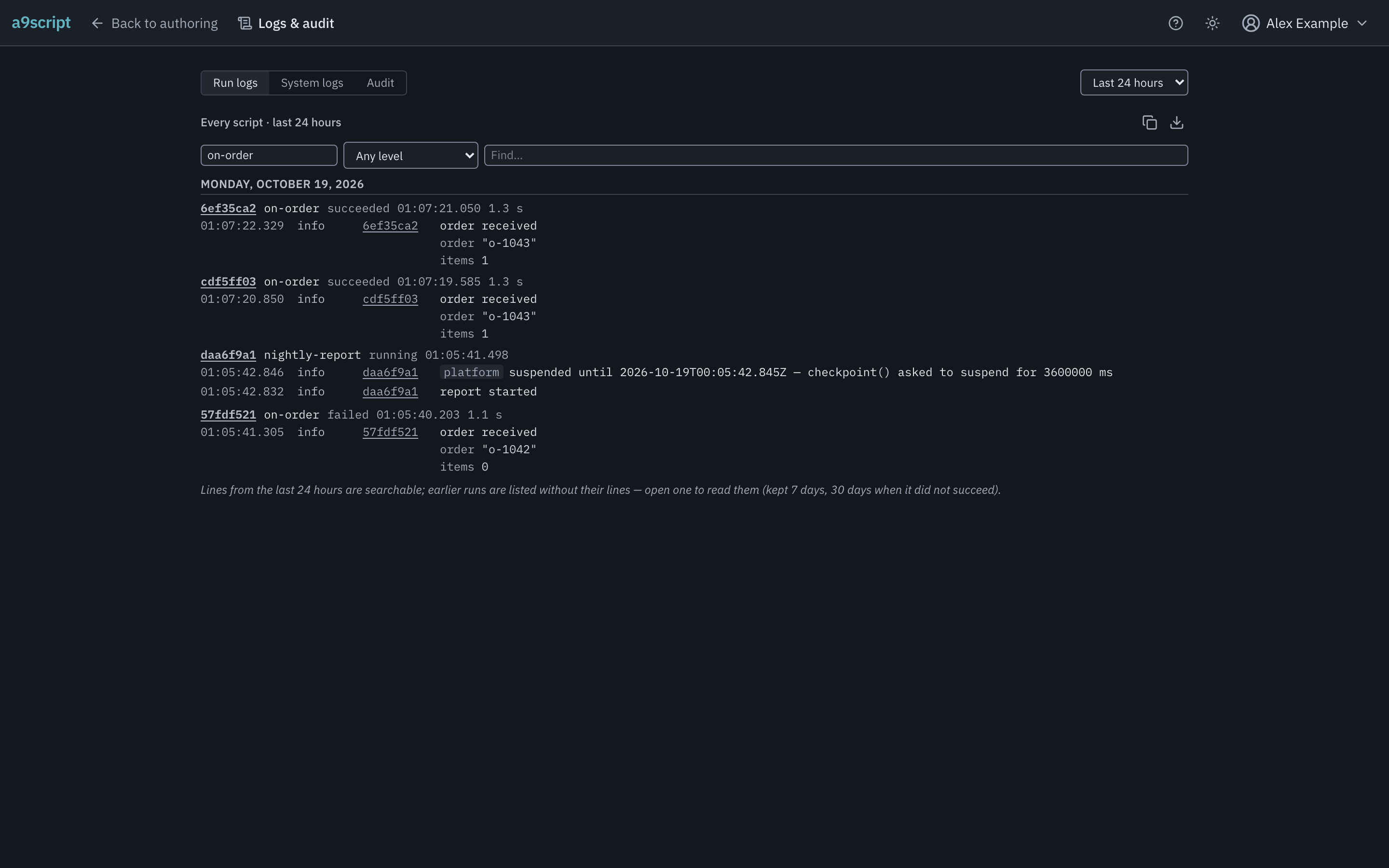
Older runs past the retention window are read one run at a time; the page says so rather than under-reporting an old run’s errors as none.
A trace, in the sandbox
Start a sandbox run with Trace calls and it keeps every outbound request as it was sent and every attempt’s response — bodies capped at 7 days’ retention and cut at a size with a marker. The credentials the platform attached are shown by name, never by value. Production refuses a trace before anything runs.
From the command line: a9script run <script> --debug, then
a9script history for the list and a9script inspect <run> <seq>
for one call. Both answer JSON and name the next command.
Stepping, in the sandbox
Start a run with Step and it parks after every external call. Its position shows the pending call, the current statement and bounded previews of the values your variables hold; continue one call at a time, continue to the end, or abort — and the far end has seen exactly the calls you allowed. A parked run waits 1 hour for your move.
When something is wrong
A failed run turns its script red, and red stays until somebody acknowledges it. When something is wrong is the operator’s path; this page is the author’s.