Docs / Operating
When the work jams
For a tenant administrator — and, for stopping a run, for anyone who may change the environment. Keeping, replaying and discarding are the tenant administrator’s; a specialist sees the Queue page with the running runs only, and may stop one, here or on the run’s own page. See Administering a tenant.
For whoever is holding the pager. Failures that ran are the previous page, When something is wrong; this one is about work that is waiting, work that will not stop, and work the platform gave up delivering.
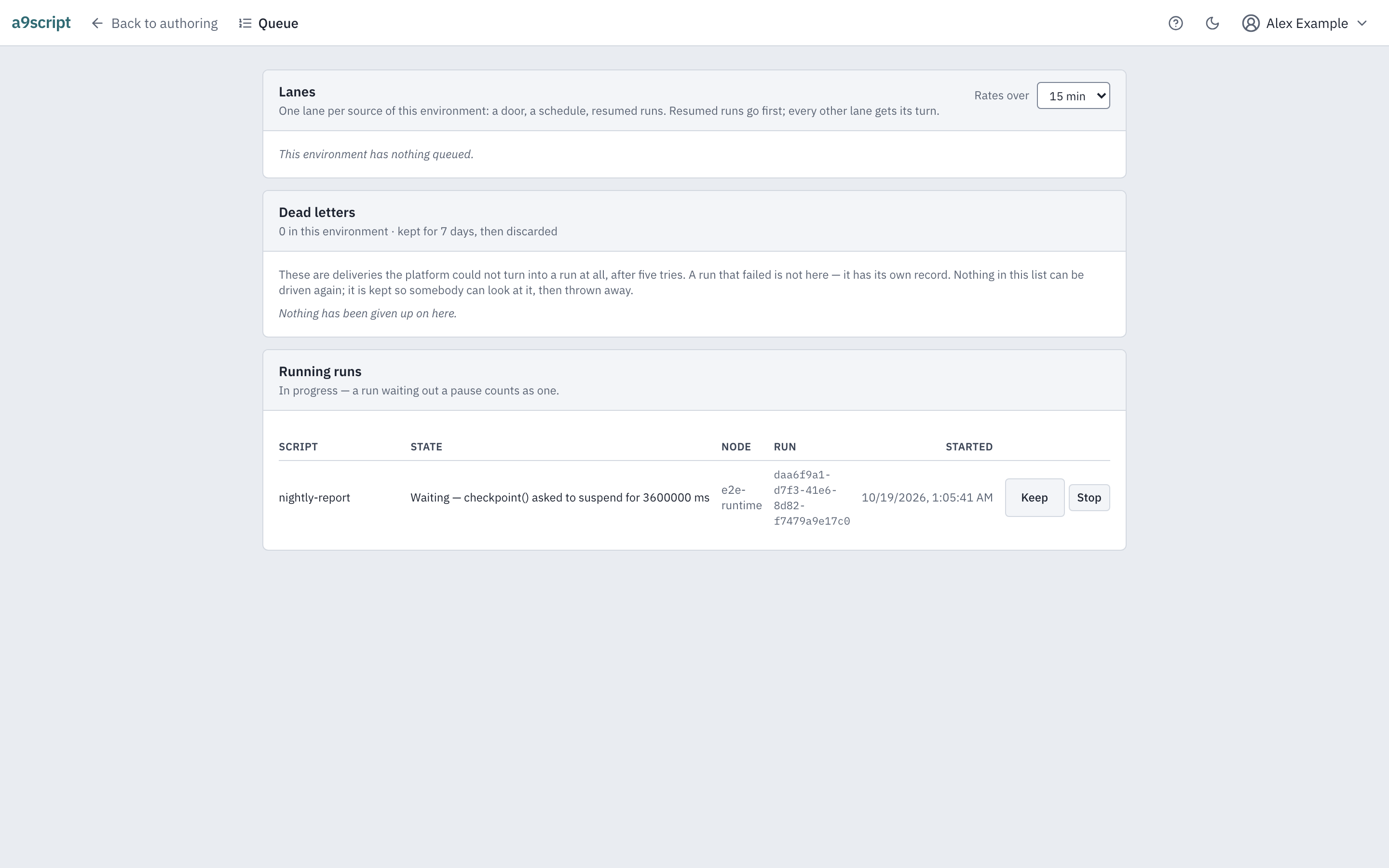
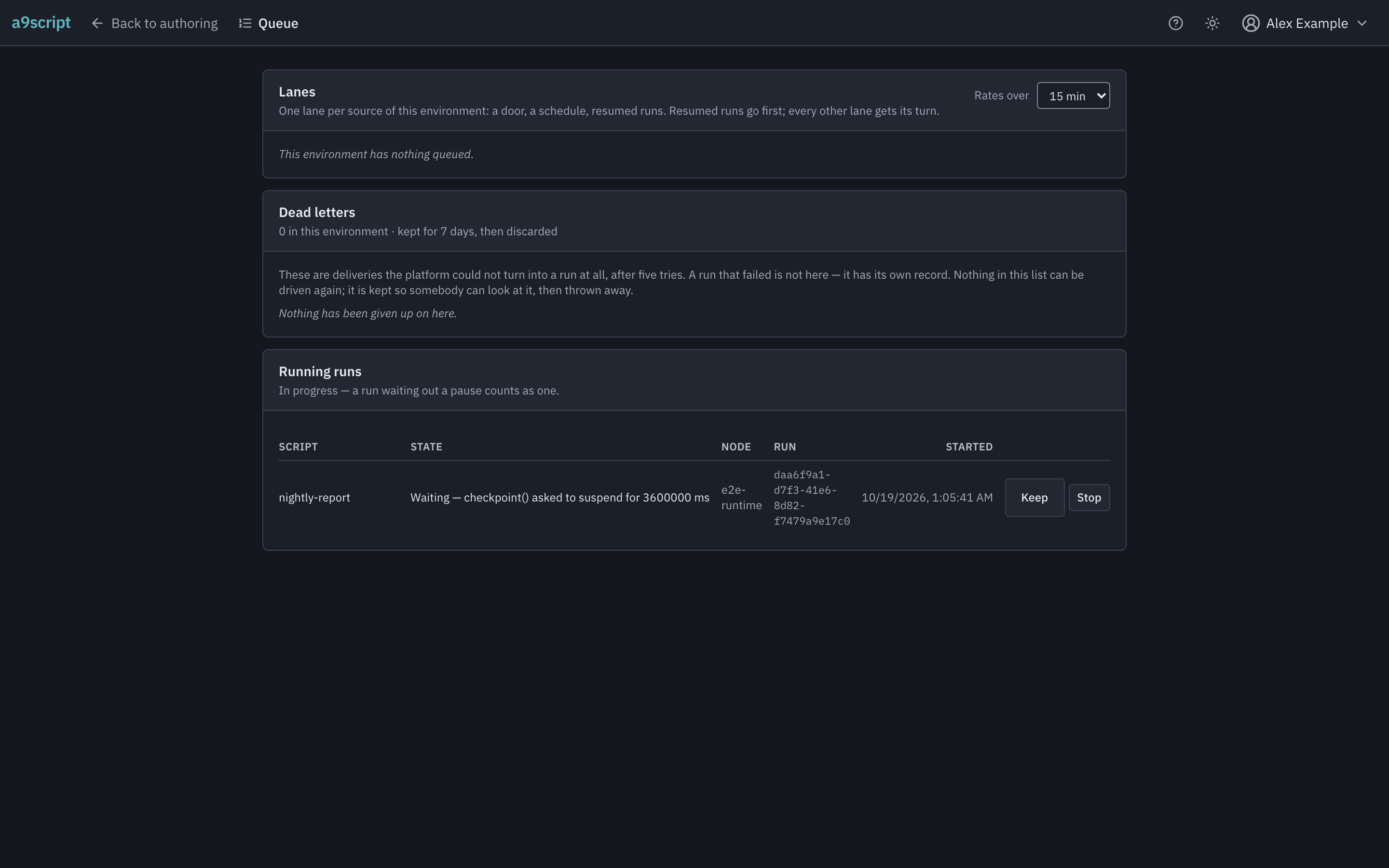
The Queue page answers two questions: what is waiting, and what is running right now.
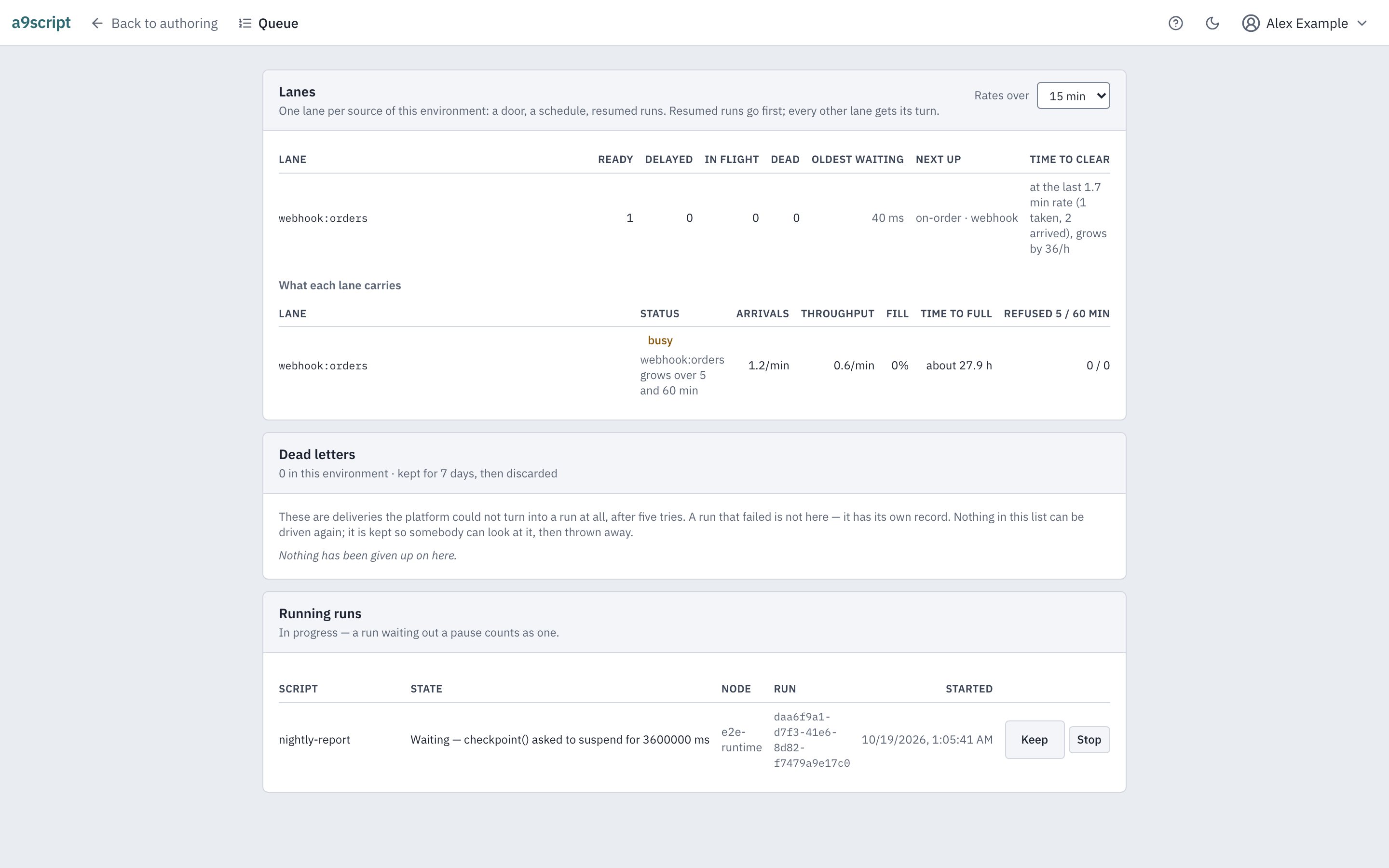
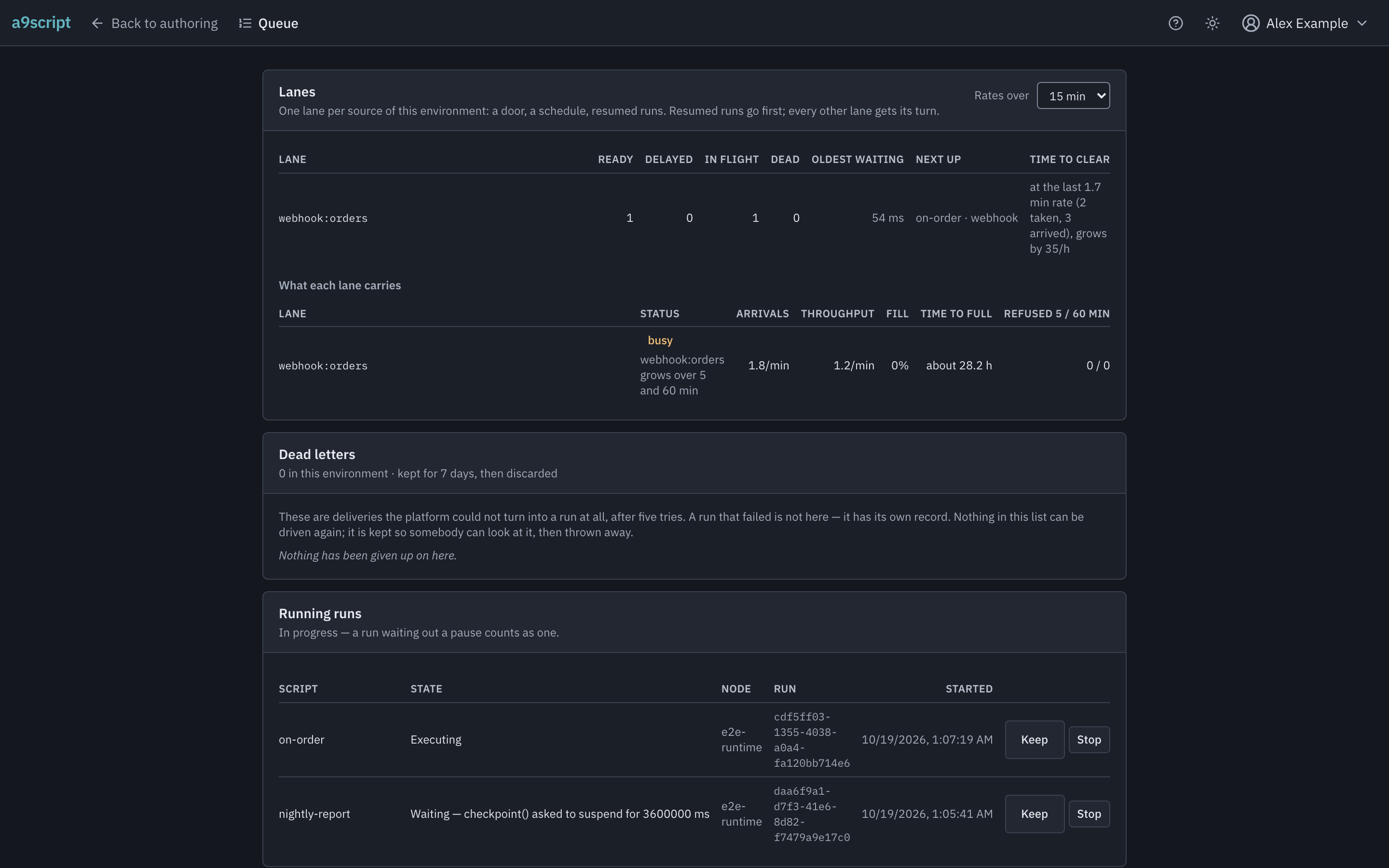
What is waiting are the lanes. Work queues per environment and per source — one lane for each door events arrive through, one for schedules, one for runs that paused and are due back — so the depths you see are this environment’s own. Each tenant gets the same share of the platform’s attention whatever it has queued; inside that share, runs that are due back go first, and the rest of the lanes take turns. So a burst of a hundred thousand events on one endpoint fills that endpoint’s lane, and a schedule, a second endpoint or the other environment of the same tenant still runs — it is not behind the burst. A lane that only grows is the thing to investigate, not a number to watch.
What each lane carries stands beside its depths: its status — normal, busy or degraded — with the reason in a sentence; its arrivals and throughput over the window you pick, kept for your next visit; how full it is against its cap and when it is full at this rate; and what it refused lately, a full lane apart from the rate limit. A lane is degraded when its waiting work has not moved for five minutes while the platform had room — never while it waits by design, behind its script’s own run or a pause — when it will be full within a quarter of an hour, or when it refused anything in the last five minutes.
The same numbers open the dashboard for everyone who may read the
environment, with its day by the hour, the schedule times skipped because the
one before still waited, the work its runs did, and the partners it calls;
a9script load prints them in a terminal. The platform’s own word stands
beside them: busy or degraded there is the platform’s state, not your
environment’s.
What is running is a live list, and it tells you what each run is actually doing. A run that is executing is working; a run that is waiting has parked itself and the row says what for — a rate limit, a pause the script asked for. Both are in progress, and before you act it is worth knowing which you are looking at: a job waiting out a partner’s rate limit is not stuck, it is being polite.
The dashboard’s Running now shows the same two states at a glance. Its waiting list holds the 50 newest waiting runs and says how many wait in all, and Show older reads the next page. The total is always the whole environment’s; the rows are a page of it.
A run that has paused at least once also says which segment it is in — how many times it has come back so far. A script that pauses inside an endless loop would otherwise run for weeks, one short segment at a time, holding a place in the queue for each of them; the platform ends such a run once it has come back 25000 times, as a failed run whose message says exactly that. A legitimate job never gets near that number — a pull of fifty pages is fifty segments — and the row lets you see one climbing long before it ends.
Each row has a Stop, and it is one button for both. A run that is waiting ends where it paused: nothing is running, so nothing is left in doubt. A run that is executing is asked to stop at its next call to another system or the next time it waits — for a system that asked it to slow down, or between two parts of a long job — and stopped by force if it gets to neither in time: a script doing arithmetic in a loop cannot be interrupted at all, and the platform says so rather than pretending. A run stopped while it waited does not make the waiting call again, and a long job stopped between two parts keeps what its finished parts already wrote. The run’s own log gets a line saying how it ended, because the endings mean different things: after a clean stop every call it made is recorded, and after a forced one a call may have left without its answer being written down. A caller still waiting for the run’s answer is told it was stopped. A run that is a single call to a function cannot be stopped part-way; the Stop says so, and the call ends on its own.
Stopping a run is not a failure. You ended it on purpose, so a clean stop does not mark its script red and it mails nobody. A stop that had to be forced is different: the run ends killed, the same ending as a run the platform killed for running past its budget, so it marks its script red and a notification rule for failed runs mails about it.
Stopping a waiting run frees its script’s turn. A run that is waiting still holds its script’s place: the next run of a one-at-a-time script waits behind it, however long the wait. Stopping it lets that next run start.
The answer you get is what happened, never what was asked: the Stop answers once the run has ended — stopped, stopped by force, or finished on its own if it got there first. Acting on a row that is no longer there tells you the screen was stale rather than pretending a second success.
A restart of the platform can overtake a stop. A run the shutdown cuts before it reaches your stop is not stopped, and your stop is not remembered: it is left like any interrupted run, and once the platform is back it continues from its last saved point or ends as failed. Stop it again then.
Dead letters
A dead letter is a delivery the platform could not turn into a run at all: every attempt was made and not one of them got as far as starting the script (what “every attempt” means is on Limits and safety).
1A delivery that starts the script is a run — whether the script succeeds or fails. A failed run is never a dead letter.
2When the platform itself cannot turn the delivery into a run, it tries again, attempt after attempt.
3After every attempt has failed it is a dead letter: the last copy of its payload, kept 7 days. The only control is Discard.
Read that sentence carefully, because it is narrower than it sounds. A script that ran and failed is not here — it has a run of its own, with its logs and its red mark, and you find it through When something is wrong. What lands in this list is the other kind of trouble: the platform itself could not deliver the work. So the list is a diagnosis record — something to look at when you are asking why deliveries are failing — and not a queue of work waiting to be picked up again.
That is why there is only one thing to do with an entry. Discard throws it away, and a dead letter is the last copy of its payload: the webhook that carried it was answered long ago, the sender will not send it again, and the platform keeps no other copy. The confirmation names exactly that. There is deliberately no button that puts one back in its lane — five deliveries already failed, and a sixth would fail the same way until whatever broke is fixed.
The list shows the entries belonging to this environment and states its horizon
— an entry is kept for 7 days, then discarded. An empty list means nothing
died inside that window, not that nothing ever has. If you want to hear about a
dead letter the night it appears rather than find it here, that is the
dlq.message occurrence on
Reacting to failures.
Running an event again
Sometimes the work did run, wrongly — the script had a bug, the far end was down — and after fixing it you want the same event to run once more. Open the run the event caused and press Resubmit. The stored payload re-enters at the front door as a new event with its own identity, marked as a resubmission in the audit trail, and routed exactly as a fresh delivery would be — which also means a switched-off endpoint refuses it: the off switch keeps meaning no. A switched-off script is left out of the replay as it would be left out of a fresh delivery, and the answer counts it; a replay every script of which is switched off is refused, saying so, and runs nothing.
Where the event re-enters depends on how it came in:
- A mail is replayed through the mailbox it was read from, to the scripts that listen to that mailbox now. A switched-off mailbox refuses the replay, as a switched-off endpoint does.
- A call to a named operation, or a tool an assistant called, is not replayed. The call named its target, and the stored event does not keep it, so its run offers no Resubmit. Ask the caller to call again.
- A call a signed-in person made is replayed in their name only while they are still enabled, and the replayed run sees their roles as they stand now, not as they stood at the call. An endpoint that now requires a signed-in person refuses the replay of an event nobody signed in for.
A run whose payload is no longer held answers that it cannot be replayed, rather than replaying something else.
If a waiting caller is involved — the endpoint answers a synchronous call — the caller’s side of the story (what it was told, and what became of its run) is on Answering a caller.
Waking a parked run
A run that is waiting holds its place until the moment it was told to come back — a partner’s rate limit named it, or the script asked for the wait itself. When the reason is over early, the wait is not: the partner recovered ten minutes into an hour it asked for, and the run sits out the fifty that are left. Wake now, on the run’s own detail, ends the wait: the run comes back through the ordinary path, in its turn, and its own log gets a line saying it was woken and what it had been waiting for.
What a wake does not do. It does not run anything itself — the run takes its turn behind whatever is queued, as it would have at the hour. It does not touch a run somebody is stepping by hand: that run waits for a continue, not for a clock, and asking to wake it says so. It does not wake a run whose script is switched off: that run waits for the switch, not the clock, and asking says so — a Test you ran yourself is the exception, and wakes. And it does not touch a kept run — keeping exempts a run from every act, this one included. A run that is not waiting refuses, naming what it is doing instead. And a run that changed while you asked — it came back and is waiting again, or somebody else woke it first — answers that it changed meanwhile, naming the wait it is in now: nothing was woken, so read it again and decide.
Keeping a run
Every retention window eventually reclaims a run — and one of them acts on a run that is still parked, not only on finished work: a run that waits longer than the platform’s limit is ended and filed away. Keep latches a run out of all of them: a kept run stays until somebody releases it. Use it the moment a run looks like evidence — of a dispute, of a bug you will chase next week — and it will still be there when you get to it.
Keep protects the run’s record, not the run. You can still stop a kept run, and what it was keeping is kept.
Housekeeping by hand
For the installation’s administrator — the one person the box’s disk belongs to. Nothing in this section is a tenant administrator’s: the part of the dashboard it describes is not drawn for them at all.
Every retention window on this page is applied by the platform’s own housekeeping — a pass that runs on its own, hourly when there is nothing to do and within seconds of itself while it has work left. Most of the time nothing needs doing. What this section gives you is the two things an automatic mechanism owes you at three in the morning: a way to see what it has in front of it, and a way to make it act now.
Reading the table. The dashboard’s runtime panel has a Housekeeping section, and its table has one row for everything a window applies to and three columns for where each stands against its window: inside the window (nothing to do), due (the next pass’s subject), and overdue by a day or more — the column that means housekeeping is not keeping up, and the only one drawn as a warning. Archived runs that succeeded and runs that did not are two rows, because they have two windows — 7 days and 30 days — and each cell says how many bundles lie there and how many bytes they hold. Parked runs are three rows, one per kind of park, each against the deadline it has for being resumed; dead letters are two rows, one per lane. Under the table is what a listing cannot say: how many of the due bundles the last pass kept — because a run is being kept, or because nothing could say what the bundle was — and how many lines are still hot past the 24 hours they stay searchable across runs. The read is made when you open the section and again when you press Refresh, never on a timer. The archive’s two rows and the count of hot lines are the last pass’s own readings, and each line under the table that shows one says how old it is — the pass walks the whole archive, a day at a time, and counts the hot lines once an hour and whenever you press Run a pass now, so the section opens at once and Refresh is instant; a fresh reading is one pass away. The parks and the dead letters are read as you open the section.
A number the platform could not measure is said, not invented. A bundle written before this inventory existed, or restored from a backup, is counted, and its size is unmeasured; a read the node cut at its own limit says at least.
Pulling a collection forward. The bundles of runs that succeeded are collected after 7 days. If the disk cannot wait — a burst filled it, the forecast says a week — Collect now runs one pass under a shorter window: succeeded bundles older than the number of days you type are collected now. Three things do not move whatever you type. The floor is 24 hours: a run inside it still has its lines and its payload where a reader is about to open them, and a smaller number is refused with the floor named. Runs that did not succeed keep their 30 days, because an error is evidence. And a run somebody is keeping is never touched. One press is one pass, and a pass is bounded, so the answer says how much was left — press Drain until done, or press again.
A pass now runs the ordinary pass, all of it, without waiting for the next scheduled one.
What a pass costs the box. A pass runs in a process of its own beside the platform, not inside it. The doors keep accepting and the queue keeps being served while it runs; an event that arrives while a pass runs starts as it would at any other minute, and the pass’s own work puts no pressure on the platform’s loop. Its memory counts with the runs’ — one more process at a time, sized in the installation guide. What you can see of the pass is its row — each job with how long it took, and the slowest named when it held more than half the pass. A pass that never answers is ended after 15 minutes and recorded as a failure with the reason; it leaves no half-written record, because its row is written last, and the next pass finishes what it left.
What a drain costs. Drain until done runs passes back to back, forgoing the rest the loop takes between them, until nothing is left draining or it has spent housekeeping’s share of an hour at once — 12 minutes on the default schedule. That share is the whole point: housekeeping normally spends a fifth of the clock, and a drain spends the fifth up front on a box that is meanwhile still running everybody’s work. Its answer says which of the two ended it, and how much was left when it was the budget.
What you are told. Every act is answered the moment it starts, and the section then says what is running and, once it ends, what happened — how many passes, how much changed, what was left — never what you asked for. A second act while one runs is refused, naming the one that is running. Each act is written into the installation’s trail with your name and, for a collection, the age you gave it.
Pausing dispatch
For the installation’s administrator, like housekeeping by hand: the pause is one node’s, and the dashboard draws the control for that person alone.
A maintenance window on a system you call has two bad shapes. Every event that arrives runs into the window and fails, one run at a time; or you switch the doors off, and the senders retry for days against a platform that is not listening. Pause dispatch is the third shape: the doors keep accepting, the queue keeps growing, and no queued run starts until somebody resumes. Runs already going finish. Pausing asks for a reason and carries your name, and both stay on the runtime panel’s intake line for as long as the pause lasts; the operator’s mailbox is told when the node is paused and told again every hour it stays paused, because a forgotten pause is the one way this act goes wrong — the queue grows in silence and nothing else says so. Resume says how long it was.
What a pause does not do. It does not survive a restart: a node that drains, for any reason, ends its pause and says so, and comes back running. It pauses this node alone; a second node keeps pulling. And it refuses nothing at the doors — which is the point, and also the one thing to know before you press it: a caller waiting at a synchronous door waits for a run that will not start until you resume, and is told the run did not answer in time — and that call never runs, not even after you resume.
An automated browser test performs this page’s loop against a running platform, every time the product changes — a delivered event replayed and proven by the second run it causes, a run held, the lanes read with their owner named and one row per door, a parked run stopped from the list with the line in its own log that says so, and a runaway asked, then forced, and really dying — so the page cannot outlive the behaviour it describes. A second walk plants an archive of three days for the installation’s administrator, reads the table, pulls a collection forward and sees the row gone, and finds the act in the trail. A third wakes a parked run from its own detail and sees it come back, then pauses dispatch, delivers a webhook that queues instead of running, resumes, and sees the run happen — with both acts in the trail under the administrator’s name.