Docs / Scripts
Writing scripts
A script is a business rule written out in order. The functions do the work against other systems; the script decides what happens and in which order. This page shows how a rule becomes a script, and what a script needs beyond that.
From a rule to a script
Write the rule as one sentence first:
When an order arrives, make sure the customer is in the CRM, then send the receipt.
Then each part of the sentence is one line or one block:
| Part of the rule | In the script |
|---|---|
| an order arrives | input.event.body — what started the run |
| the customer is in the CRM | FindContact, and CreateContact if nothing was found |
| send the receipt | OrderReceipt |
| what happened | log while it runs, return at the end |
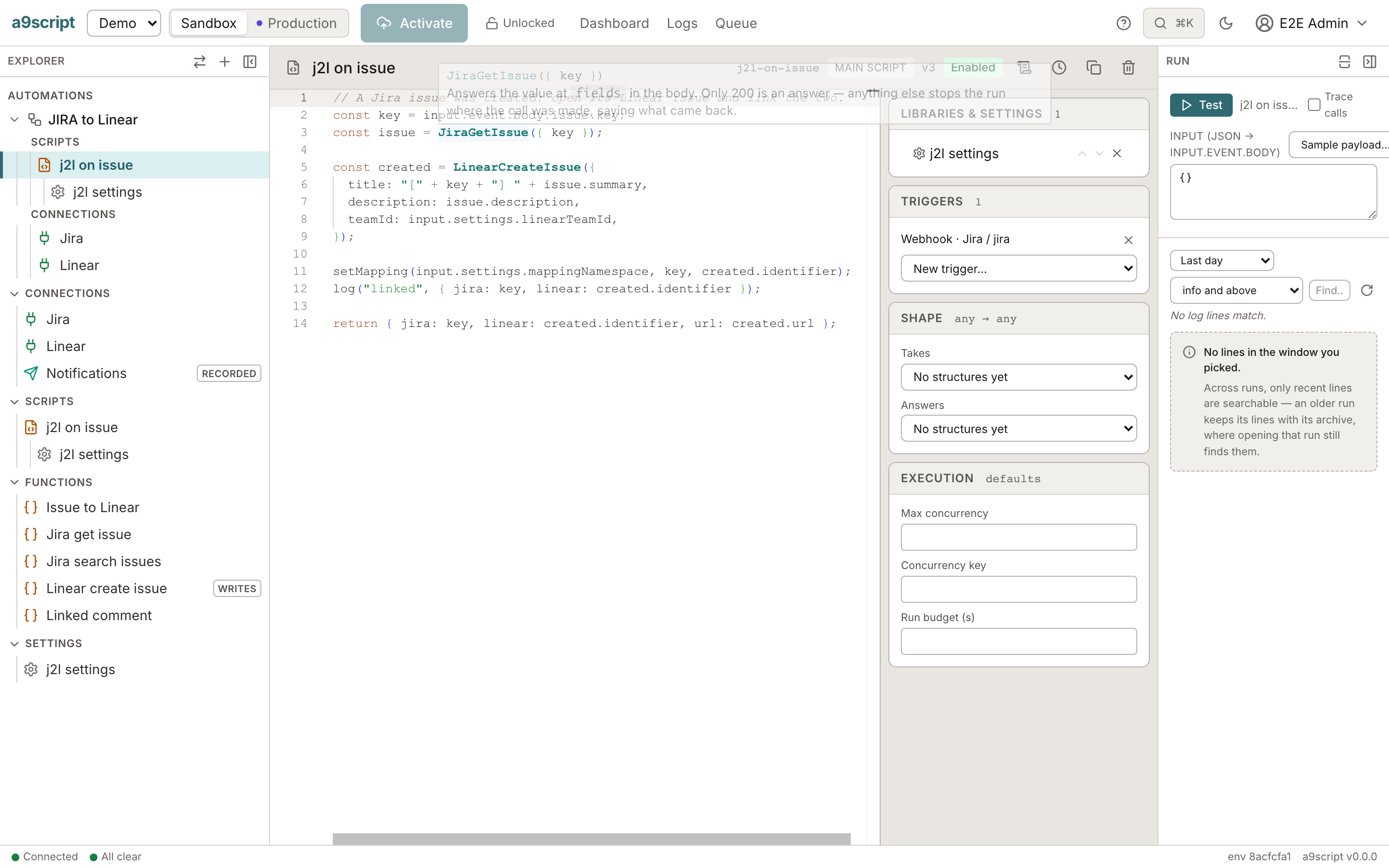
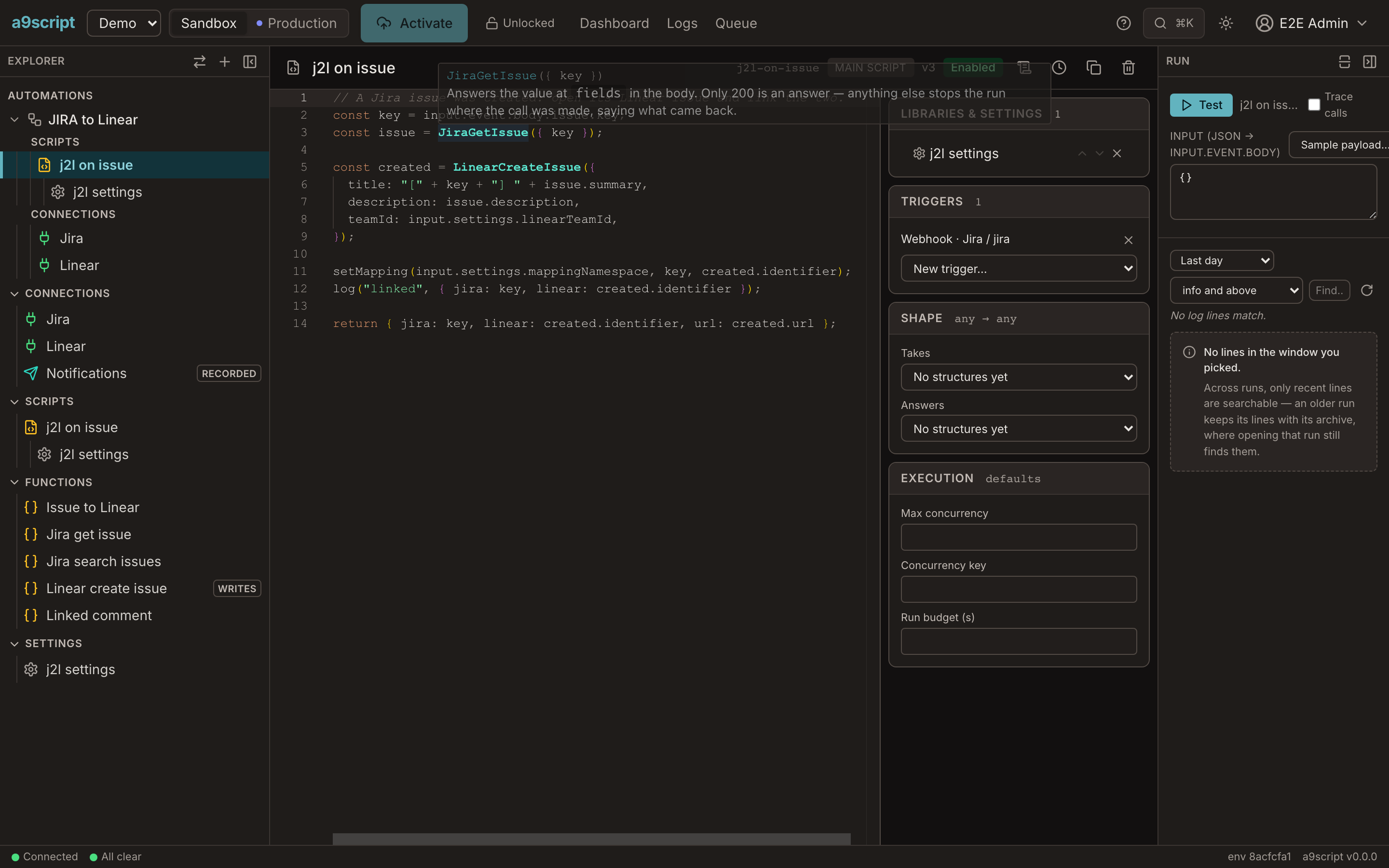
const order = input.event.body;

let contactId;
const found = FindContact({ email: order.customer });
if (found === null) {
  contactId = CreateContact({ email: order.customer, name: order.customer });
} else {
  contactId = found.id;
}

const total = order.items.reduce(function (sum, item) {
  return sum + item.price;
}, 0);
OrderReceipt({ to: order.customer, order: order.id });

log("order confirmed", { order: order.id, contact: contactId, total: total });

return { order: order.id, contact: contactId, total: total };
The script has no URL, no credential, no status check and no retry in it. Those are the functions’ settings (Connections and functions). A call answers on the next line; if it could not be answered the way its function accepts, the run stops there and says why.
Reading what started the run
input.event is what arrived: the body of a webhook or a call, its headers, a
mail, a schedule firing. input.settings is what the script’s settings script
returned. Reading what triggered you shows both, door by
door.
Deciding
Deciding is ordinary JS: if, for, Map, Set, filter, map.
const seen = new Set();
const skus = [];

for (const item of input.event.body.items) {
  if (!seen.has(item.sku)) {
    seen.add(item.sku);
    skus.push(item.sku);
  }
}

return skus;
Call a function inside a plain loop when the work is per item, never inside a
map callback; when the work is thousands of records, a bulk call does it
where the records are. The one shape that does not scale
explains why.
Values that differ between sandbox and production
A page size, a team id, a mailbox: values like these do not belong in the code.
They go in a settings script, which the script links, and arrive as
input.settings. Each environment has its own settings script, so the same
script runs unchanged in sandbox and production.
const pageSize = input.settings.pageSize;

log("reading pages of", { pageSize: pageSize });

return pageSize;
Code several scripts share
Shared functions go in a library script. A script that links a library has
its functions in scope; there is no import.
Saying what happened
log("message", { … })writes a line to the run’s log;logErrormarks it as an error. The run panel shows every line.returnends the run with its result. A caller waiting for an answer gets it, unless the script already answered withrespond.
When something is wrong
throw ends the run as failed, with your message. Use it for a business rule
that is broken — an order with no items, a customer who must exist:
const order = input.event.body;

if (order.items.length === 0) {
  throw new Error("order " + order.id + " has no items");
}

return order.items.length;
A failed run can be watched for; see Reacting to failures.
try/catch catches what you expect; what it never catches is a budget
(Budgets).
Waiting
checkpoint() saves the run, gives the machine back, and continues on the next
line — checkpoint(600000) ten minutes later. Time spent waiting costs no
budget. A run that wants to start again next week is a schedule, not a wait
(Triggers and concurrency).
What the language leaves out
Scripts are ordinary JS with three things missing:
- No classes. Objects, arrays and functions do the same job.
- No
async,awaitor promises. A call answers on the next line; the platform does the waiting. - No
import. Shared code is a library script.
The complete list, and why each item is left out, is on The language.
Testing a script
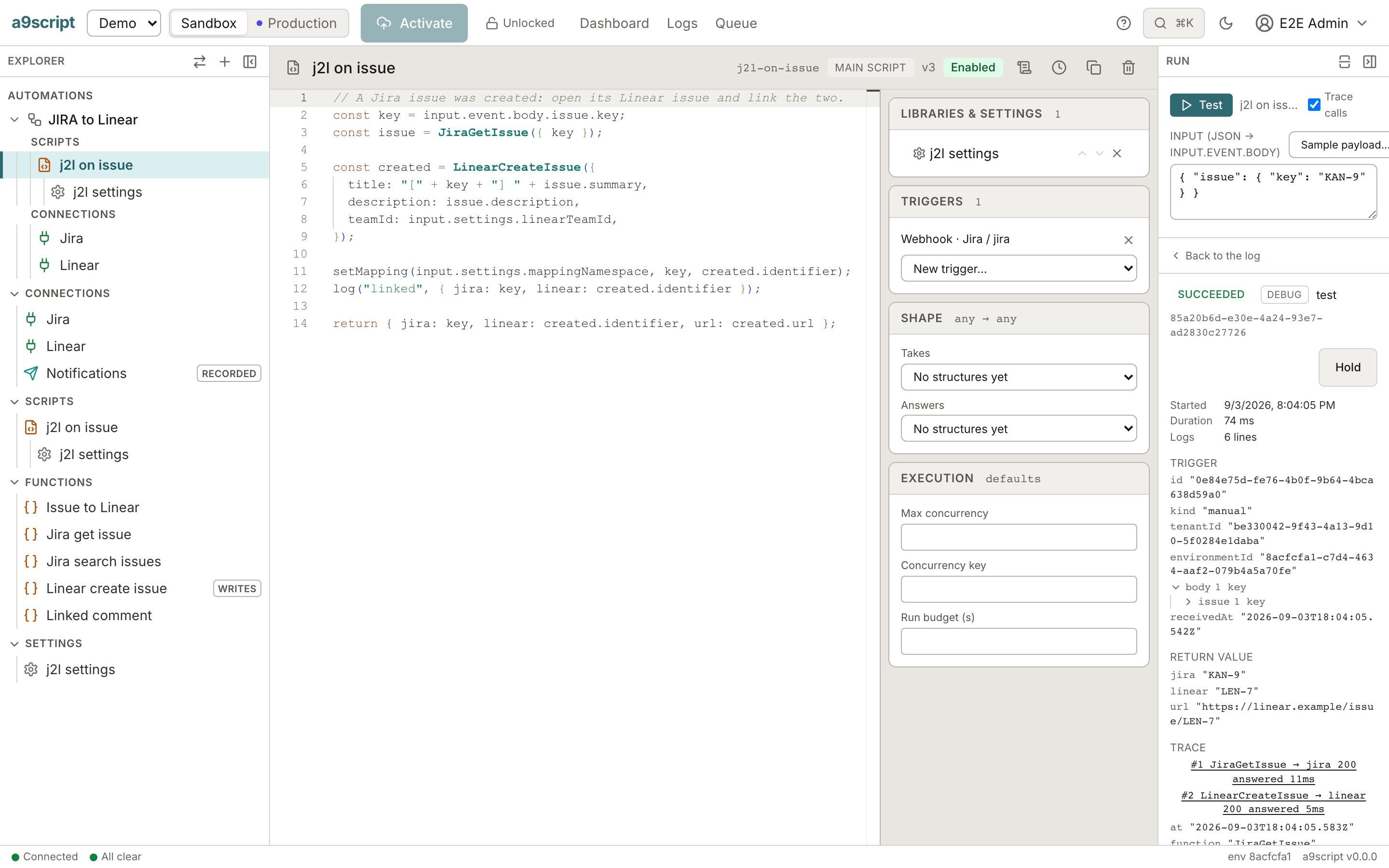
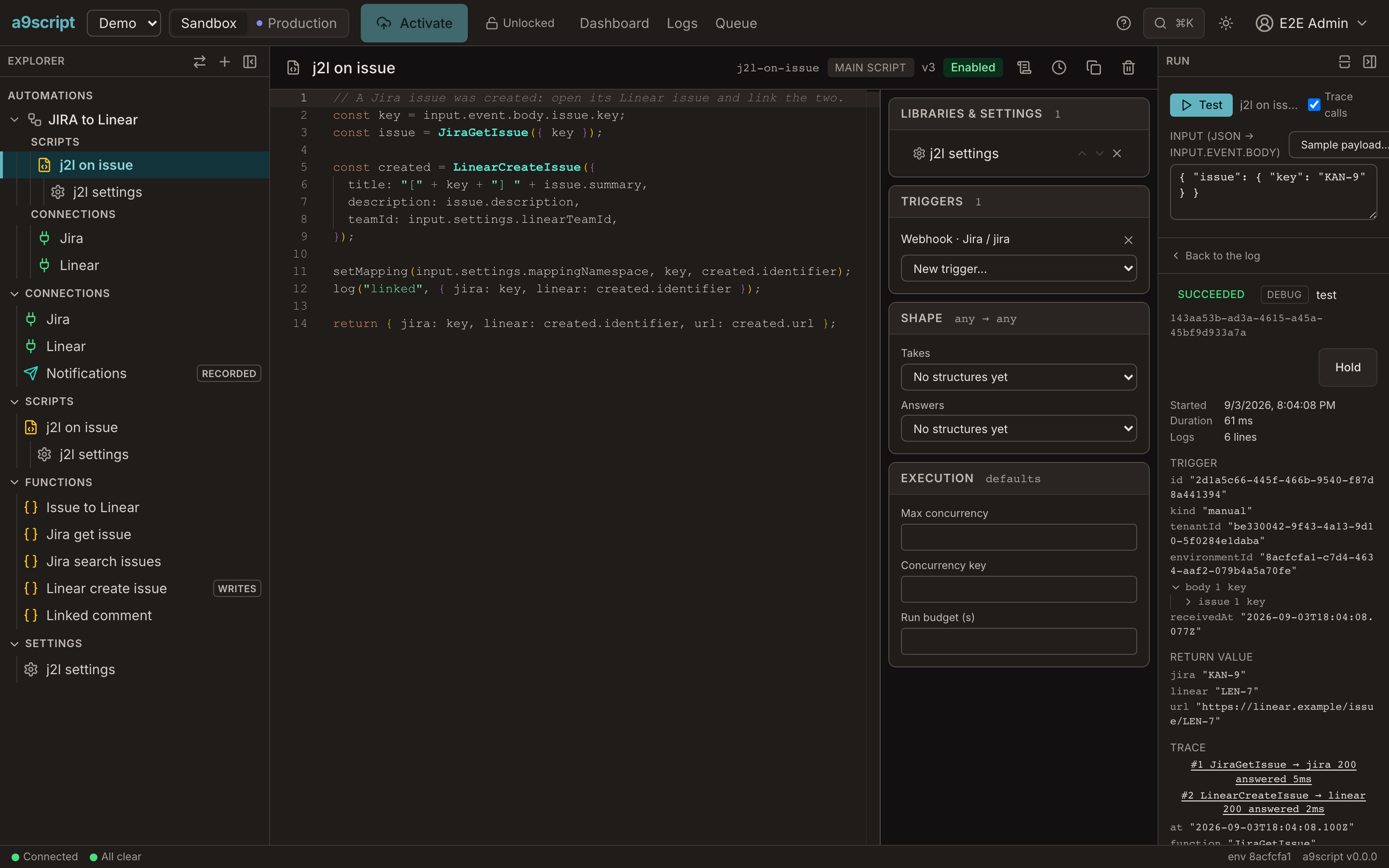
Every script has a Test button with a sample input. A test run shows the result, every log line, and — with Trace calls on — every call that left the platform, with what it sent and what came back.
Next
- Budgets — the four limits every run has, and what to change when a script reaches one.
- Triggers and concurrency — what starts a script, and how many runs of it may run at once.
- The model behind all of this, with every claim executed: The script model.