Docs / Operating
Promoting to production
For the person who built the thing.
A transfer is a write on BOTH environments, so it needs a role that may change each of them — a specialist’s grant on one side is not enough. See People and access.
You build in sandbox, and at some point what you built has to start doing real work. This page is about that move: what the platform shows you before anything changes, what travels, and what deliberately does not.
The two environments are sealed off from each other — separate configuration, separate credentials, separate data. The words are defined in What this platform is; the consequence matters here: nothing running in one can reach the other, and there is no shared drawer underneath. The one sanctioned path between them is the move described on this page, and it copies. Production receives its own copy of what you selected, and after the move the two copies lead separate lives — editing the sandbox again changes nothing in production until you move it again.
The plan comes first
Select what you want to move and press Transfer to another environment. The dialog starts by naming the target environment — a move never has an implicit destination — and then, before anything happens, shows you a plan: one row per entity, saying what the move would do to it.
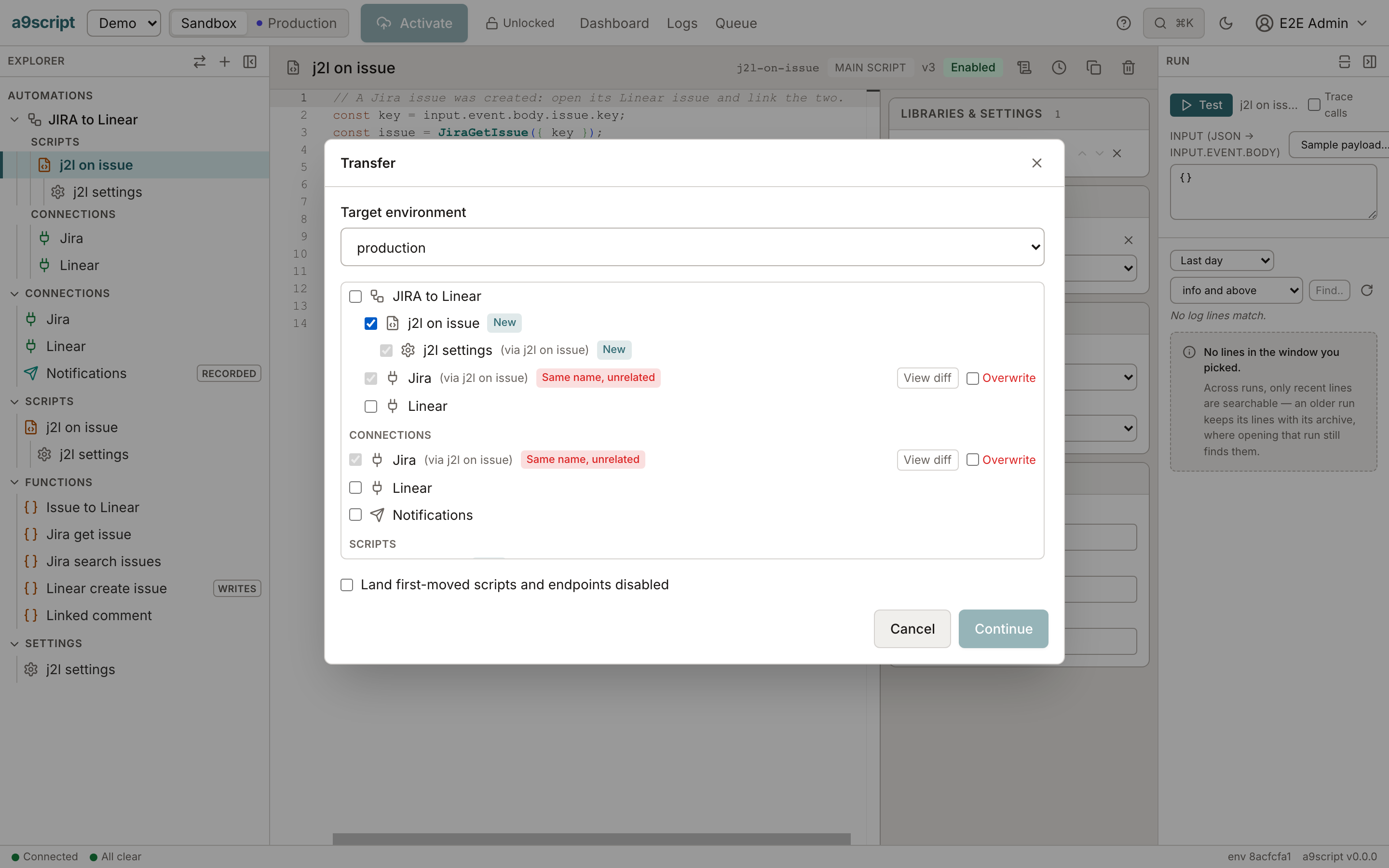
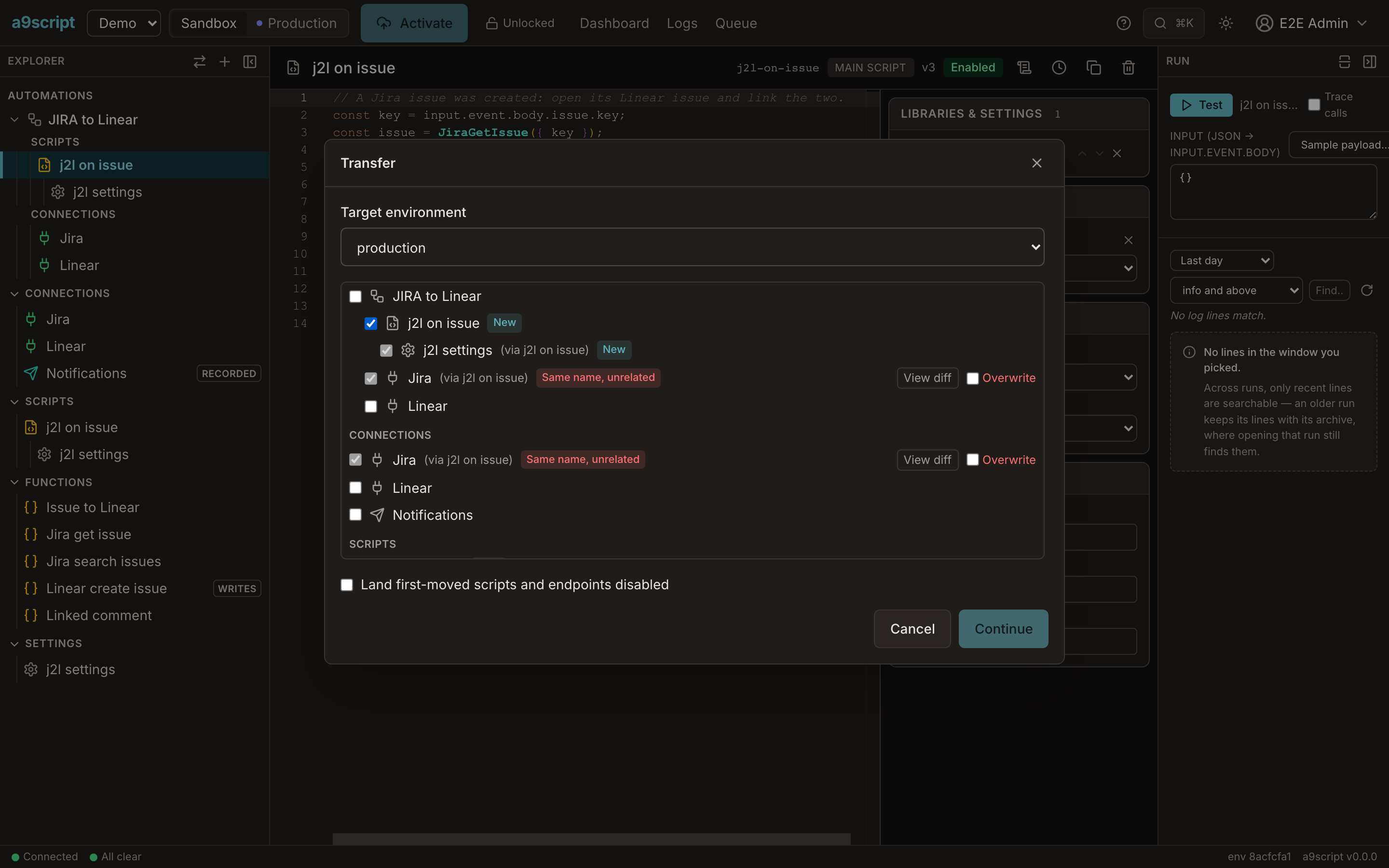
- New — the target has never had this; it will be created.
- Update — the target has an earlier version; it will be brought up to date.
- Up to date — you already moved this version; nothing to do.
- Once-only — this entity moved once and is now the target’s own (more below); it is left as it is.
- Changed in target — somebody edited the target’s copy since you last moved it. The plan refuses to touch this row until you check its own Overwrite box — one per row, never one for all of them — because this is the case where a move would destroy work somebody did in production on purpose.
The plan is computed fresh every time the dialog opens. If a colleague edited production a minute ago, the plan you are looking at knows.
And “changed since you last moved it” is not a text comparison. The platform remembers which version it copied last time and which version each side is on now. Switching something off and on again in operations does not count as a change, and moving identical content a second time settles into Up to date rather than inventing a difference.
What travels with a selection
You pick the things you mean — usually the scripts — and the plan brings what they need. Linked settings and libraries ride in attributed to the script that needs them (via … on the row); a connection the scripts call through is offered as its own row alongside. If something a selected entity depends on is neither in the selection nor already in the target, the move is refused naming what is missing, and nothing changes — a move never lands half of a working thing.
What deliberately does not travel
A credential never travels. Not on the first move, and not on any move after it. Production speaks to the outside world as itself, with its own credentials — that is half the point of having two environments — so:
- A connection arrives in production with its credential blank. The first thing to do after a first move is open it there and enter it again — the production credential this time, not the sandbox one.
- A webhook endpoint is re-authored during the move itself: the plan asks for the path and the fresh secret it should use in the target, so the endpoint lands ready rather than broken.
- Where a move does overwrite something that holds a credential, the blank fields keep what the target already has. A move updates configuration; it never quietly swaps who production is talking to.
The per-environment things move once. A connection, or a script’s settings, is copied the first time and from then on each environment owns its own — that is what Once-only means in the plan. Sandbox values will not overwrite what somebody set in production on purpose, and later changes to these are made in each environment directly.
Landing switched off
The dialog offers to land first-moved scripts, endpoints and mailboxes disabled. Take it whenever the move includes something that would start running the moment it arrives: the copies land switched off, you enter the credentials, and you switch them on when you are ready. Nothing runs in production before you say so. Switch a mailbox on together with its scripts: a mailbox whose scripts are all switched off reads its mail and drops it.
Before it writes
The summary is the last step: how many entities will be created, how many updated, how many left as they are — and, set apart, how many target entities will be overwritten. Nothing has happened until you press Transfer, and the move lands entirely or not at all: one that fails half-way leaves production exactly as it was.
After the move, production’s copy starts its own history. Reading a history — and putting an older version back — is the next page: Going back.
An automated browser test performs this page’s moves against a running platform, every time the product changes — a first move, an update that leaves once-only things alone, an overwrite demanded and given — so the page cannot outlive the behaviour it describes.